> ## Documentation Index
> Fetch the complete documentation index at: https://docs.crafter.net.tr/llms.txt
> Use this file to discover all available pages before exploring further.
# Audit Logs & Activity
> Comprehensive audit logging for all user, staff, store, authentication, and security events.
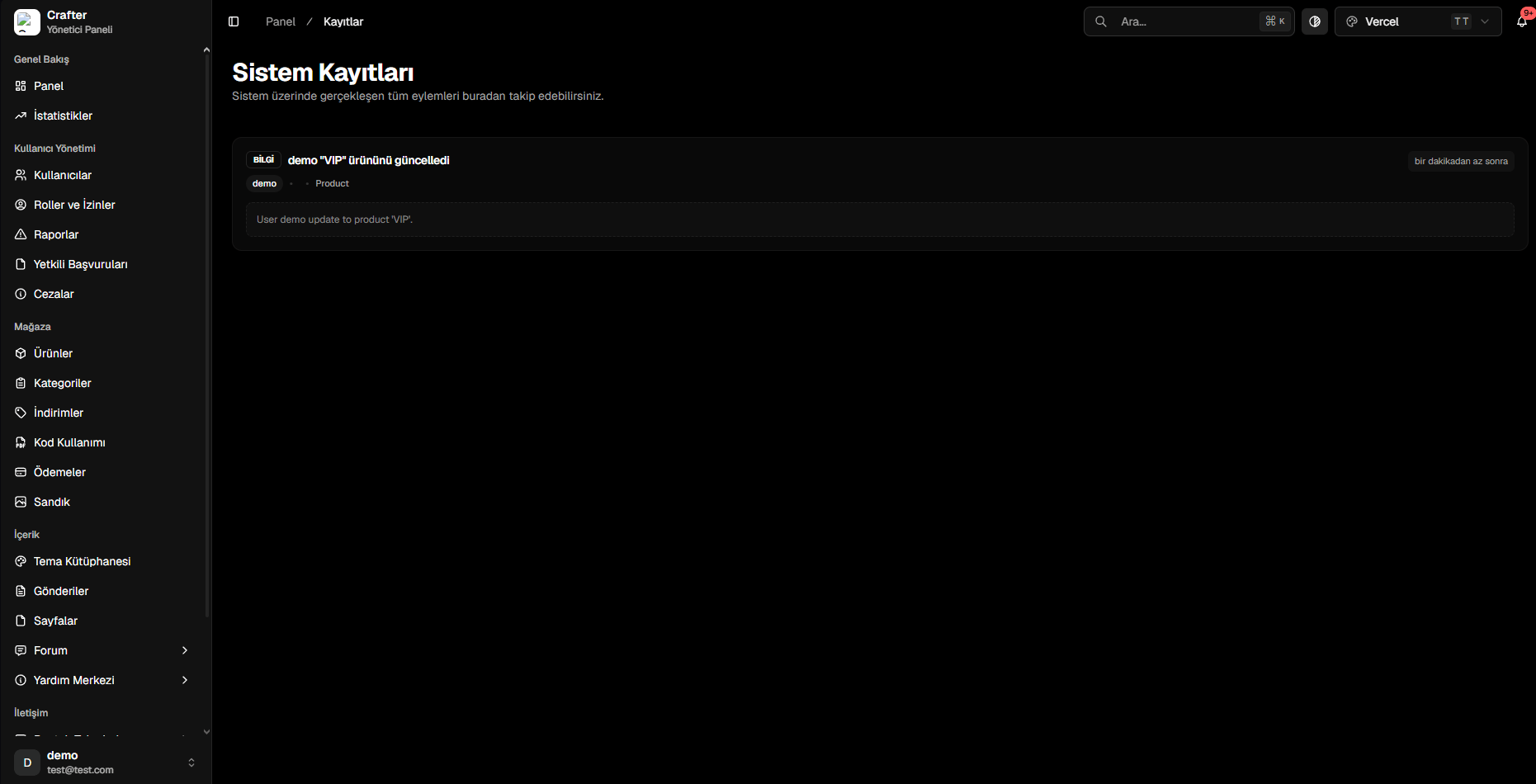
Crafter Audit Logs record every login, store transaction, credit transfer, administrative modification, and security alert across your network.
Navigate to [Dashboard > Logs](https://app.crafter.net.tr/tr/dashboard/logs) to inspect real-time system logs.
 ***
## 1. Anatomy of an Audit Record
* **Log Type (`LOG_TYPES`):** Specific event code (e.g., `purchase_product`, `update_product`, `ban_user`).
* **Category (`LOG_CATEGORIES`):** Parent module (`payment`, `user`, `auth`, `product`, `ticket`).
* **Performed By (`performedBy`):** Account username or `SYSTEM`.
* **Description & Message:** Plain-language summary.
* **Event Data (`eventData`):** Technical JSON payload containing before/after values.
* **Timestamp:** Exact execution time.
***
## 2. Severity Levels
Standard operational reads and normal user actions.
Successful store orders, registrations, and credit top-ups.
Administrative edits, player bans, and deletions.
Failed payment attempts, unauthorized access attempts, and security blocks.
***
## 3. Log Categories (`LOG_CATEGORIES`)
Logs are organized across 16 core categories: `auth`, `user`, `payment`, `product`, `category`, `chest`, `role`, `server`, `ticket`, `post`, `forum`, `help_center`, `coupon`, `redeem_code`, `staff_form`, and `config`.
***
## 1. Anatomy of an Audit Record
* **Log Type (`LOG_TYPES`):** Specific event code (e.g., `purchase_product`, `update_product`, `ban_user`).
* **Category (`LOG_CATEGORIES`):** Parent module (`payment`, `user`, `auth`, `product`, `ticket`).
* **Performed By (`performedBy`):** Account username or `SYSTEM`.
* **Description & Message:** Plain-language summary.
* **Event Data (`eventData`):** Technical JSON payload containing before/after values.
* **Timestamp:** Exact execution time.
***
## 2. Severity Levels
Standard operational reads and normal user actions.
Successful store orders, registrations, and credit top-ups.
Administrative edits, player bans, and deletions.
Failed payment attempts, unauthorized access attempts, and security blocks.
***
## 3. Log Categories (`LOG_CATEGORIES`)
Logs are organized across 16 core categories: `auth`, `user`, `payment`, `product`, `category`, `chest`, `role`, `server`, `ticket`, `post`, `forum`, `help_center`, `coupon`, `redeem_code`, `staff_form`, and `config`.