> ## Documentation Index
> Fetch the complete documentation index at: https://docs.crafter.net.tr/llms.txt
> Use this file to discover all available pages before exploring further.
# AuthMe Synchronization
> Synchronize Minecraft in-game AuthMe accounts with the web platform via MySQL database bridge.
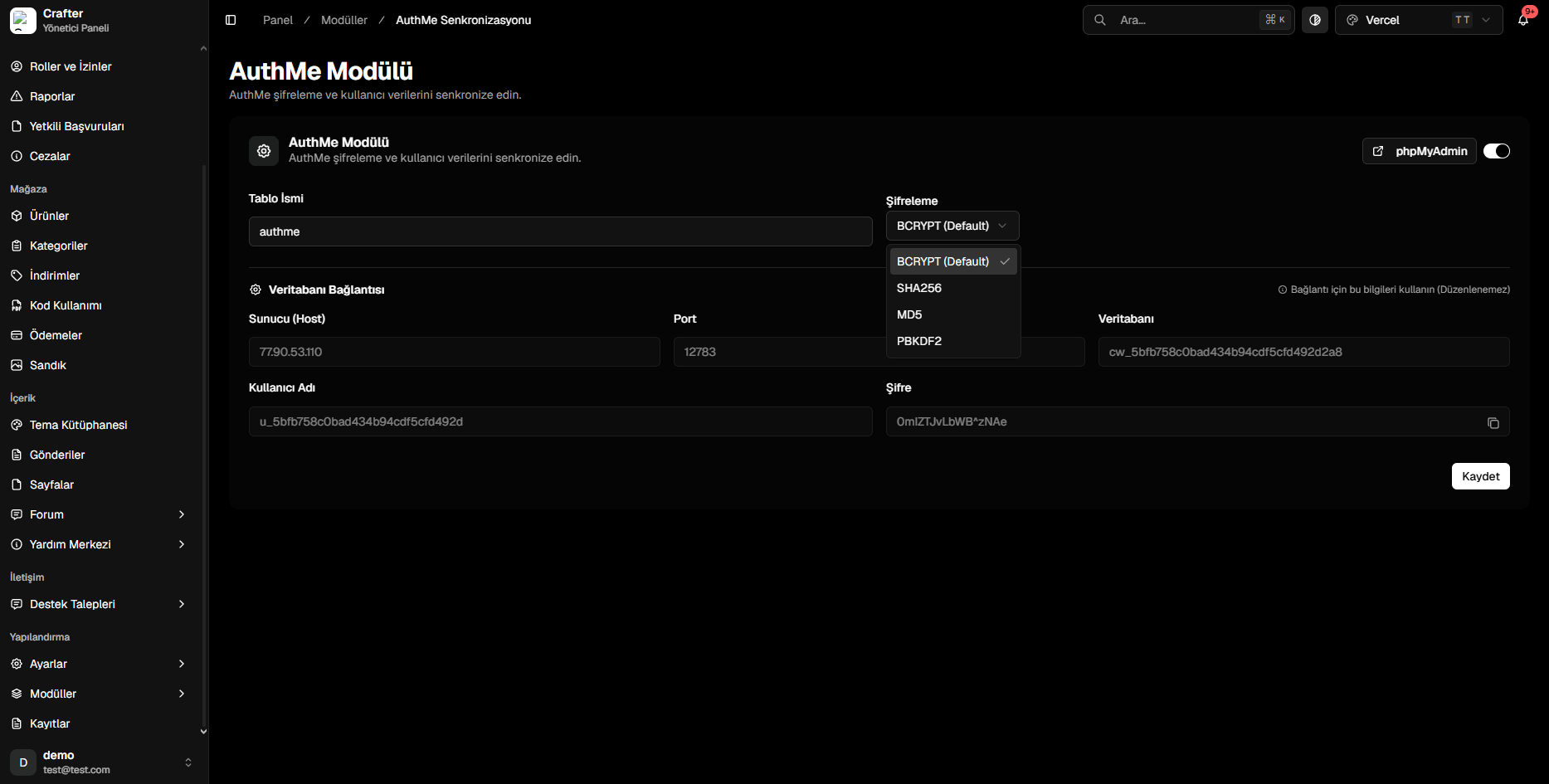
The Crafter AuthMe module synchronizes in-game player registrations from **AuthMeReloaded** with your web platform's user database, allowing unified account credentials across both web and server.
Navigate to [Dashboard > Modules > AuthMe](https://app.crafter.net.tr/tr/dashboard/modules/authme) to configure the bridge.
 ***
## Setup & Configuration
Toggle on the module switch in the top right corner.
* **Table Name:** Table identifier (default: `authme`).
* **Password Hash:** Choose `BCRYPT` (Recommended).
Configure MySQL parameters in `plugins/AuthMe/config.yml`:
```yaml config.yml theme={null}
DataSource:
backend: 'MYSQL'
mySQLHost: '77.90.53.110'
mySQLPort: '12783'
mySQLDatabase: 'cw_your_database'
mySQLUsername: 'u_your_username'
mySQLPassword: 'YourPassword'
mySQLTableName: 'authme'
security:
passwordHash: 'BCRYPT'
```
Save in the dashboard and run `/authme reload` on your Minecraft server.
***
## Setup & Configuration
Toggle on the module switch in the top right corner.
* **Table Name:** Table identifier (default: `authme`).
* **Password Hash:** Choose `BCRYPT` (Recommended).
Configure MySQL parameters in `plugins/AuthMe/config.yml`:
```yaml config.yml theme={null}
DataSource:
backend: 'MYSQL'
mySQLHost: '77.90.53.110'
mySQLPort: '12783'
mySQLDatabase: 'cw_your_database'
mySQLUsername: 'u_your_username'
mySQLPassword: 'YourPassword'
mySQLTableName: 'authme'
security:
passwordHash: 'BCRYPT'
```
Save in the dashboard and run `/authme reload` on your Minecraft server.