> ## Documentation Index
> Fetch the complete documentation index at: https://docs.crafter.net.tr/llms.txt
> Use this file to discover all available pages before exploring further.
# Punishments Configuration
> Configure AdvancedBan or LiteBans MySQL database bridge for web punishment listings.
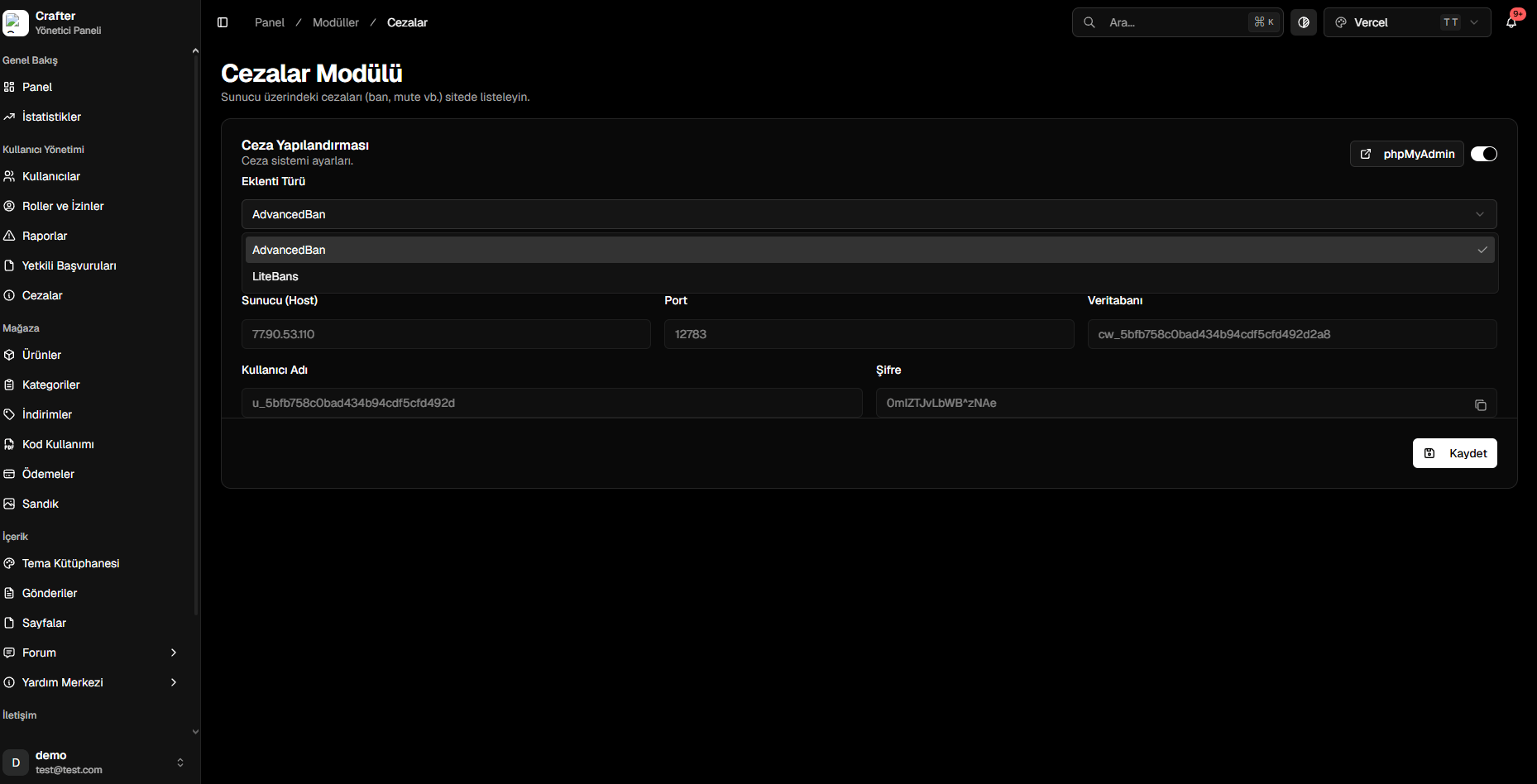
The Crafter Punishments configuration module connects your Minecraft server moderation plugins with the web platform via a dedicated MySQL database.
Navigate to [Dashboard > Modules > Punishments](https://app.crafter.net.tr/tr/dashboard/modules/punishments) to configure database settings.
 ***
## Configuration Steps
Toggle on the module switch and choose `AdvancedBan` or `LiteBans`.
Note down the generated Host, Port, Database name, Username, and Password.
Paste the MySQL credentials into your server's plugin configuration file.
Execute `/litebans reload` or `/advancedban reload` in console.
***
## Configuration Steps
Toggle on the module switch and choose `AdvancedBan` or `LiteBans`.
Note down the generated Host, Port, Database name, Username, and Password.
Paste the MySQL credentials into your server's plugin configuration file.
Execute `/litebans reload` or `/advancedban reload` in console.