> ## Documentation Index
> Fetch the complete documentation index at: https://docs.crafter.net.tr/llms.txt
> Use this file to discover all available pages before exploring further.
# Legal Settings & Terms
> Manage Terms of Service, Privacy Policies, and Server Rules displayed during registration and checkout.
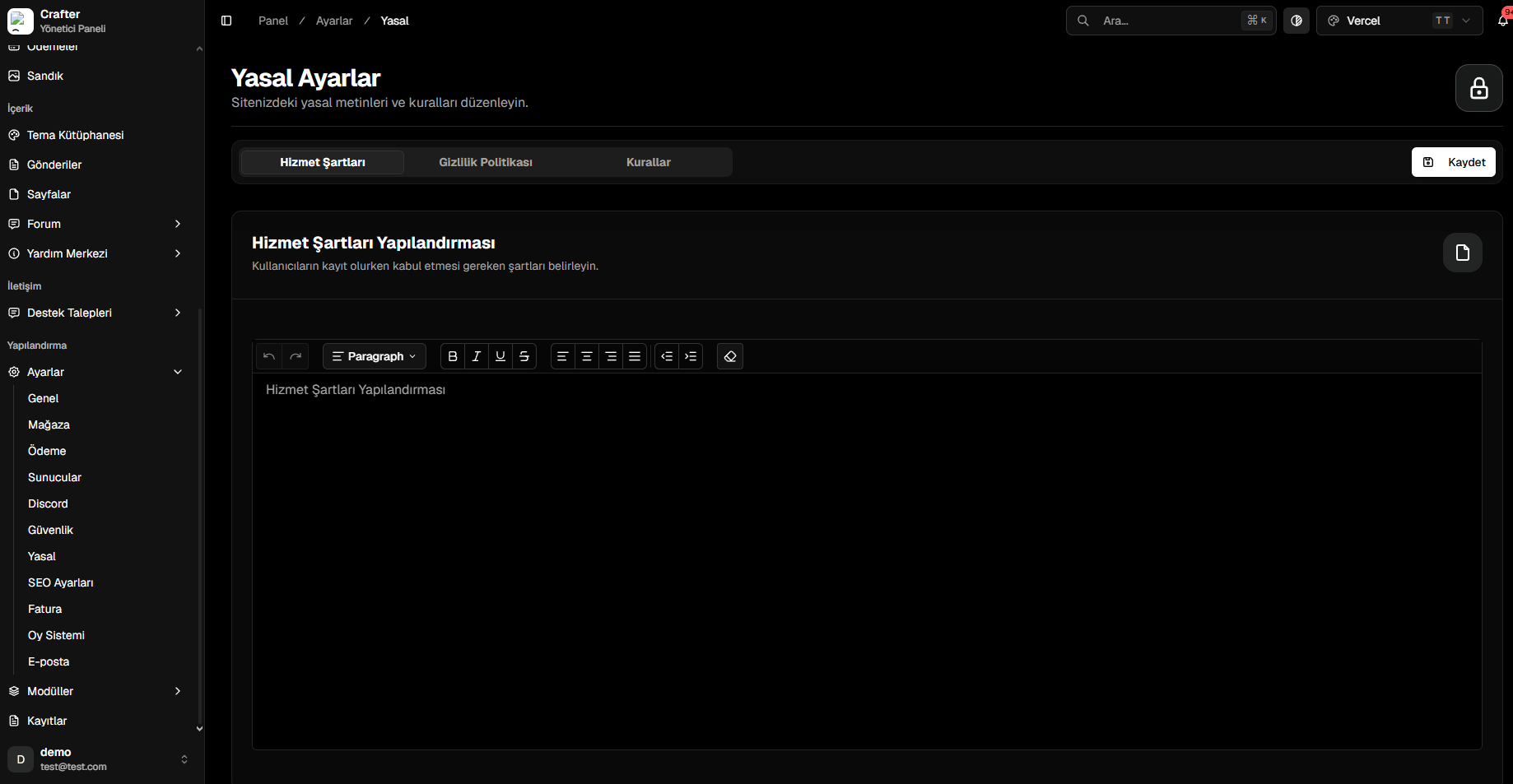
The Crafter Legal Settings module centralizes all player agreements, GDPR / privacy policies, refund terms, and server rules in one easy-to-update interface.
Navigate to [Dashboard > Settings > Legal](https://app.crafter.net.tr/tr/dashboard/settings/legal) to update legal documents.
 ***
## Managed Agreements
* **Terms of Service:** General platform usage conditions, checkout refund terms, and liability disclosures.
* **Privacy Policy:** Disclosures regarding player data handling, cookies, and privacy compliance.
* **Server Rules:** In-game behavior guidelines, griefing definitions, and disciplinary standards.
***
## Editing & Publishing
Choose **Terms of Service**, **Privacy Policy**, or **Server Rules** from the top tab navigation.
Use the rich text editor to compose numbered clauses, bold highlights, and external policy links.
Click **Save** to update public legal pages (`yourdomain.com/legal/...`) instantly.
***
## Managed Agreements
* **Terms of Service:** General platform usage conditions, checkout refund terms, and liability disclosures.
* **Privacy Policy:** Disclosures regarding player data handling, cookies, and privacy compliance.
* **Server Rules:** In-game behavior guidelines, griefing definitions, and disciplinary standards.
***
## Editing & Publishing
Choose **Terms of Service**, **Privacy Policy**, or **Server Rules** from the top tab navigation.
Use the rich text editor to compose numbered clauses, bold highlights, and external policy links.
Click **Save** to update public legal pages (`yourdomain.com/legal/...`) instantly.