> ## Documentation Index
> Fetch the complete documentation index at: https://docs.crafter.net.tr/llms.txt
> Use this file to discover all available pages before exploring further.
# Store Settings & Bulk Discounts
> Manage store visibility, ISO currency standards, and sitewide automatic bulk discounts.
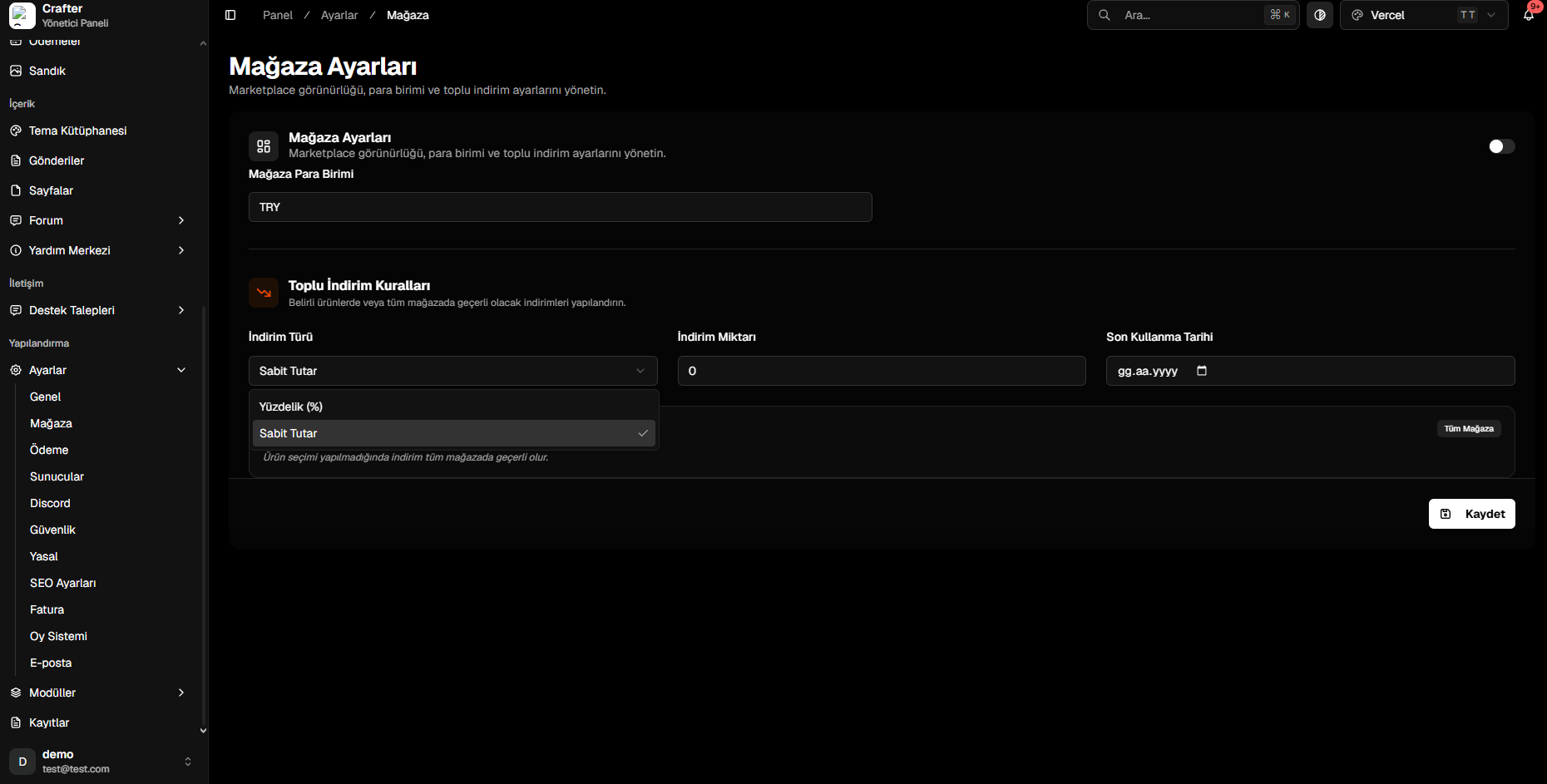
The Crafter Store Settings module allows you to control store visibility, define ISO currency codes, and launch scheduled sitewide flash sales without requiring coupon codes.
Navigate to [Dashboard > Settings > Store](https://app.crafter.net.tr/tr/dashboard/settings/store) to update store rules.
 ***
## 1. Store Visibility & Currency
* **Store Status (Toggle):** Enable or temporarily disable the public web store.
* **Store Currency:** Standard ISO 4217 currency code (e.g., `USD`, `EUR`, `TRY`, `GBP`).
***
## 2. Bulk Store Discounts (Sales)
Apply automatic price reductions across all products or select categories:
* **Percentage (%):** Lowers item prices by a percentage (e.g., `20%`).
* **Fixed Amount:** Subtracts a static value from each product price.
Input the discount numeric amount (e.g., `20` or `50`).
Select an end date from the calendar when the promotion will automatically deactivate.
Click **Save** to update all catalog pricing immediately.
***
## 1. Store Visibility & Currency
* **Store Status (Toggle):** Enable or temporarily disable the public web store.
* **Store Currency:** Standard ISO 4217 currency code (e.g., `USD`, `EUR`, `TRY`, `GBP`).
***
## 2. Bulk Store Discounts (Sales)
Apply automatic price reductions across all products or select categories:
* **Percentage (%):** Lowers item prices by a percentage (e.g., `20%`).
* **Fixed Amount:** Subtracts a static value from each product price.
Input the discount numeric amount (e.g., `20` or `50`).
Select an end date from the calendar when the promotion will automatically deactivate.
Click **Save** to update all catalog pricing immediately.