> ## Documentation Index
> Fetch the complete documentation index at: https://docs.crafter.net.tr/llms.txt
> Use this file to discover all available pages before exploring further.
# Vote System & Server Lists
> Synchronize player votes from server list directories and reward in-game credits automatically.
The Crafter Vote System connects your gaming network with top server listing directories like [ServersMC](https://www.servers-mc.net) to award credits, crate keys, and ranking points to players who vote for your server.
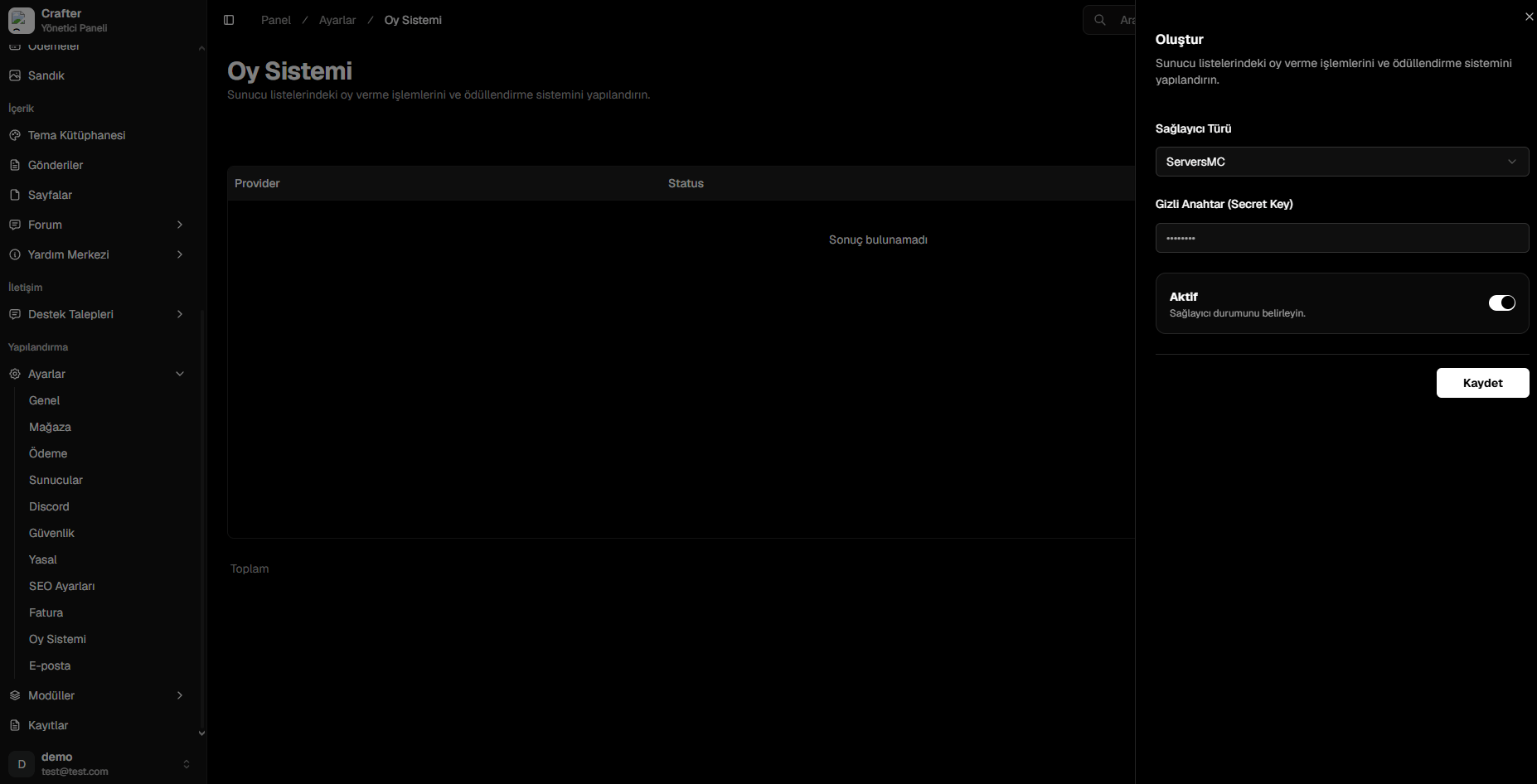
Navigate to [Dashboard > Settings > Vote](https://app.crafter.net.tr/tr/dashboard/settings/vote) to manage vote providers.
 ***
## ServersMC Integration Setup
Log in to [ServersMC](https://www.servers-mc.net/me) and open the **Management / Settings** area for your registered server.
Copy the alphanumeric **Secret Key** associated with your server.
Select `ServersMC` as the provider, paste your **Secret Key**, and set status to active.
Click **Save** to enable real-time vote synchronization.
***
## ServersMC Integration Setup
Log in to [ServersMC](https://www.servers-mc.net/me) and open the **Management / Settings** area for your registered server.
Copy the alphanumeric **Secret Key** associated with your server.
Select `ServersMC` as the provider, paste your **Secret Key**, and set status to active.
Click **Save** to enable real-time vote synchronization.