> ## Documentation Index
> Fetch the complete documentation index at: https://docs.crafter.net.tr/llms.txt
> Use this file to discover all available pages before exploring further.
# Help Center Categories
> Organize self-service support documentation, sort priorities, and assign Tabler icons.
The Crafter Help Center Categories module lets you arrange support documentation, knowledge base articles, and onboarding tutorials into structured categories.
Navigate to [Dashboard > Content > Help Center > Categories](https://app.crafter.net.tr/tr/dashboard/content/help-center/categories) to manage help categories.
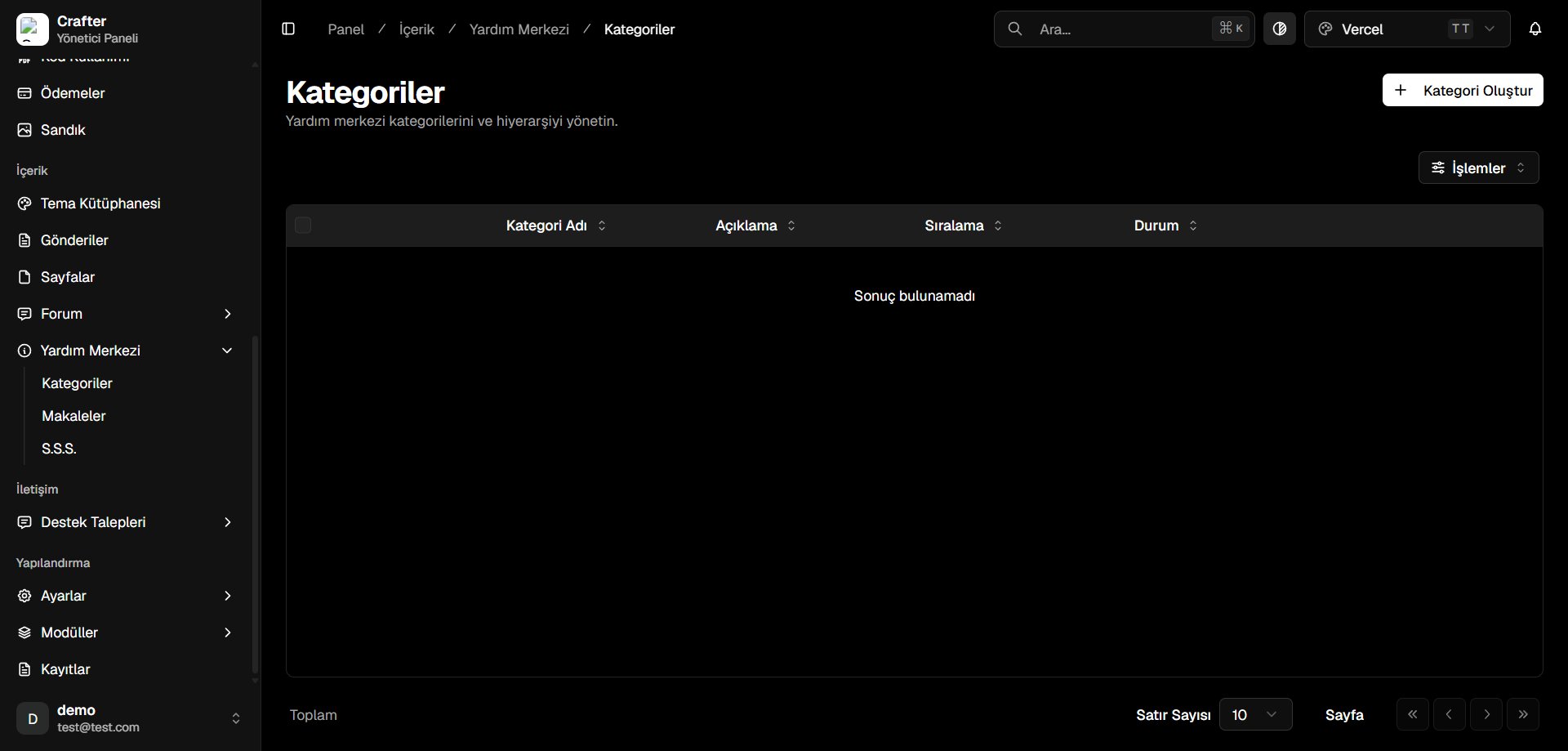 ***
## Help Categories Table
* **Category Name:** Section title shown in the knowledge base.
* **Description:** Summary of topics covered in this category.
* **Sort Order:** Numerical priority index determining page position.
* **Status:** Active (published) or Draft (hidden).
***
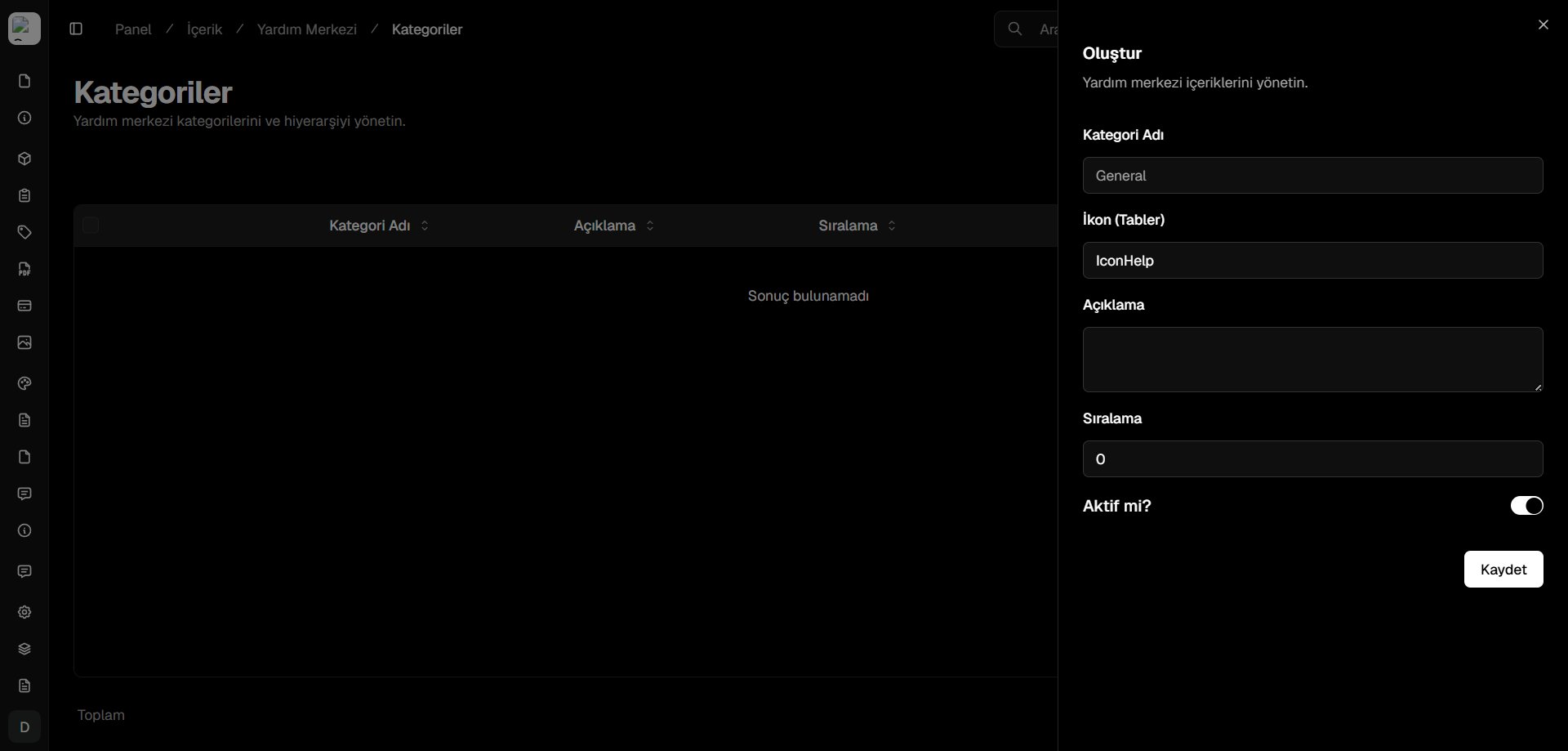
## Creating a Category
Click **+ Create Category** in the top right corner.
* **Category Name:** Title (e.g., *Account & Security*, *Store & Billing*).
* **Icon (Tabler):** Tabler icon identifier (e.g., `IconHelp`, `IconShield`, `IconCreditCard`).
* **Description:** Brief overview of the category scope.
* **Sort Order:** Display order (e.g., `0`, `1`, `2`).
* **Active:** Publish toggle.
Click **Save** to publish the category.
***
## Help Categories Table
* **Category Name:** Section title shown in the knowledge base.
* **Description:** Summary of topics covered in this category.
* **Sort Order:** Numerical priority index determining page position.
* **Status:** Active (published) or Draft (hidden).
***
## Creating a Category
Click **+ Create Category** in the top right corner.
* **Category Name:** Title (e.g., *Account & Security*, *Store & Billing*).
* **Icon (Tabler):** Tabler icon identifier (e.g., `IconHelp`, `IconShield`, `IconCreditCard`).
* **Description:** Brief overview of the category scope.
* **Sort Order:** Display order (e.g., `0`, `1`, `2`).
* **Active:** Publish toggle.
Click **Save** to publish the category.