> ## Documentation Index
> Fetch the complete documentation index at: https://docs.crafter.net.tr/llms.txt
> Use this file to discover all available pages before exploring further.
# Punishments Module
> Sync in-game bans, mutes, and warnings in real time to your website and dashboard.
The Crafter Punishments module integrates directly with industry-standard server plugins (`AdvancedBan`, `LiteBans`) via MySQL database bridge to display public ban lists and centralized moderation history.
* **Dashboard Punishments:** [Dashboard > Punishments](https://app.crafter.net.tr/tr/dashboard/punishments)
* **Public Website Page:** `yourdomain.com/punishments`
***
## Setup & Configuration
Follow these steps to link your Minecraft server’s ban plugin with Crafter:
1. Navigate to [Dashboard > Modules > Punishments](https://app.crafter.net.tr/tr/dashboard/modules/punishments).
2. Toggle on the module switch in the top right corner.
3. Select your plugin from the **Plugin Type** dropdown (`AdvancedBan` or `LiteBans`).
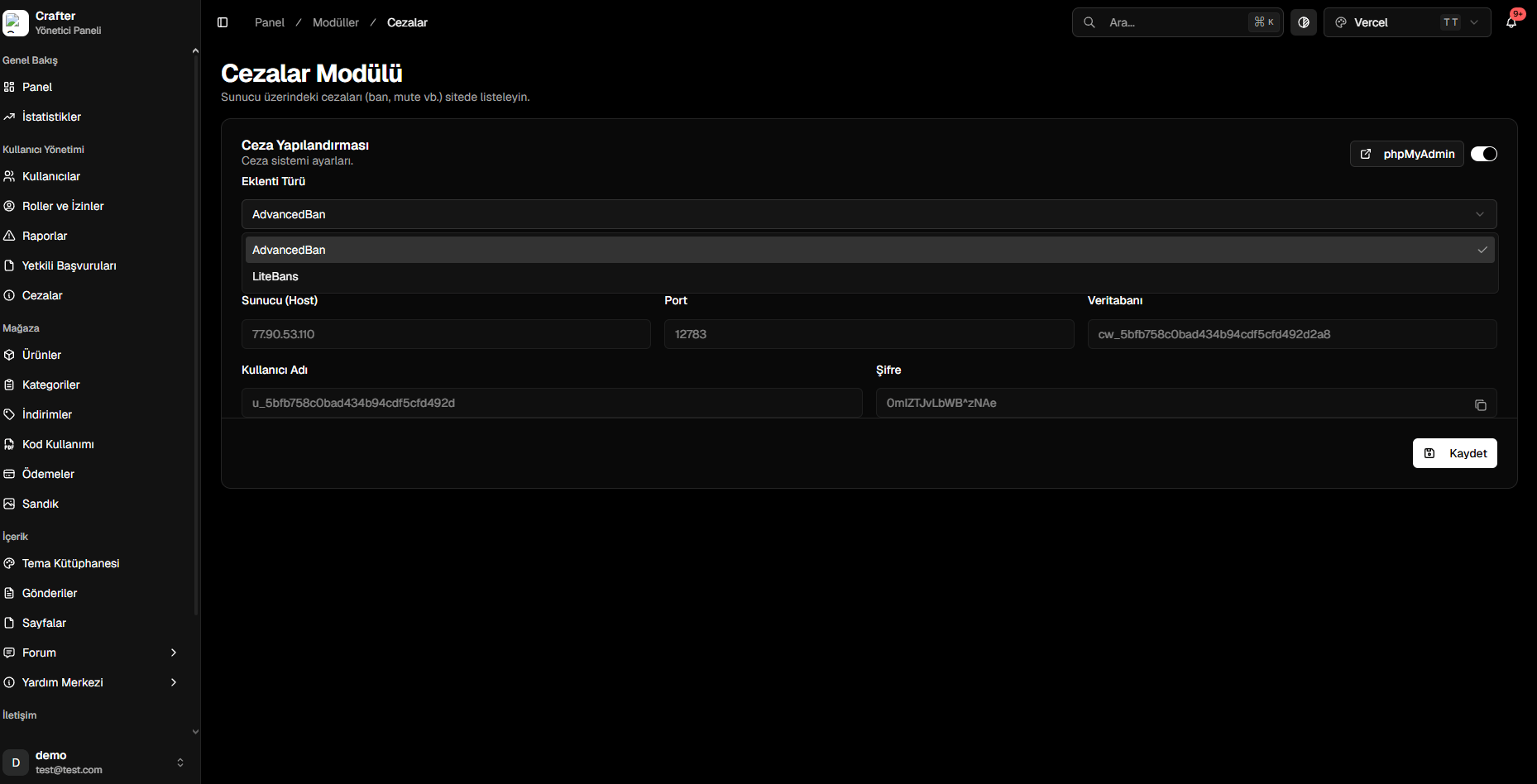 Crafter allocates a dedicated MySQL cloud database for your server. Copy the generated credentials:
* **Host IP**
* **Port**
* **Database Name** (`cw_...`)
* **Username** (`u_...`)
* **Password**
Open your server's plugin configuration file (`config.yml`) and insert the database credentials:
```yaml config.yml theme={null}
MySQL:
Custom: true
IP: "HOST_IP_FROM_PANEL"
Port: 12783 # Port from panel
Database: "cw_your_database"
User: "u_your_user"
Password: "YourPassword"
```
```yaml config.yml theme={null}
driver: "MySQL"
address: "HOST_IP_FROM_PANEL:PORT"
database: "cw_your_database"
username: "u_your_user"
password: "YourPassword"
```
Save the configuration and reload the plugin on your Minecraft server (`/litebans reload` or `/advancedban reload`).
***
## Database Management (phpMyAdmin)
You can manage tables, import historical records, or run custom SQL queries using our integrated phpMyAdmin instance:
Visit `pma.crafter.net.tr` and sign in using the MySQL credentials provided in your Punishments module page.
***
## Viewing Punishments
Crafter allocates a dedicated MySQL cloud database for your server. Copy the generated credentials:
* **Host IP**
* **Port**
* **Database Name** (`cw_...`)
* **Username** (`u_...`)
* **Password**
Open your server's plugin configuration file (`config.yml`) and insert the database credentials:
```yaml config.yml theme={null}
MySQL:
Custom: true
IP: "HOST_IP_FROM_PANEL"
Port: 12783 # Port from panel
Database: "cw_your_database"
User: "u_your_user"
Password: "YourPassword"
```
```yaml config.yml theme={null}
driver: "MySQL"
address: "HOST_IP_FROM_PANEL:PORT"
database: "cw_your_database"
username: "u_your_user"
password: "YourPassword"
```
Save the configuration and reload the plugin on your Minecraft server (`/litebans reload` or `/advancedban reload`).
***
## Database Management (phpMyAdmin)
You can manage tables, import historical records, or run custom SQL queries using our integrated phpMyAdmin instance:
Visit `pma.crafter.net.tr` and sign in using the MySQL credentials provided in your Punishments module page.
***
## Viewing Punishments
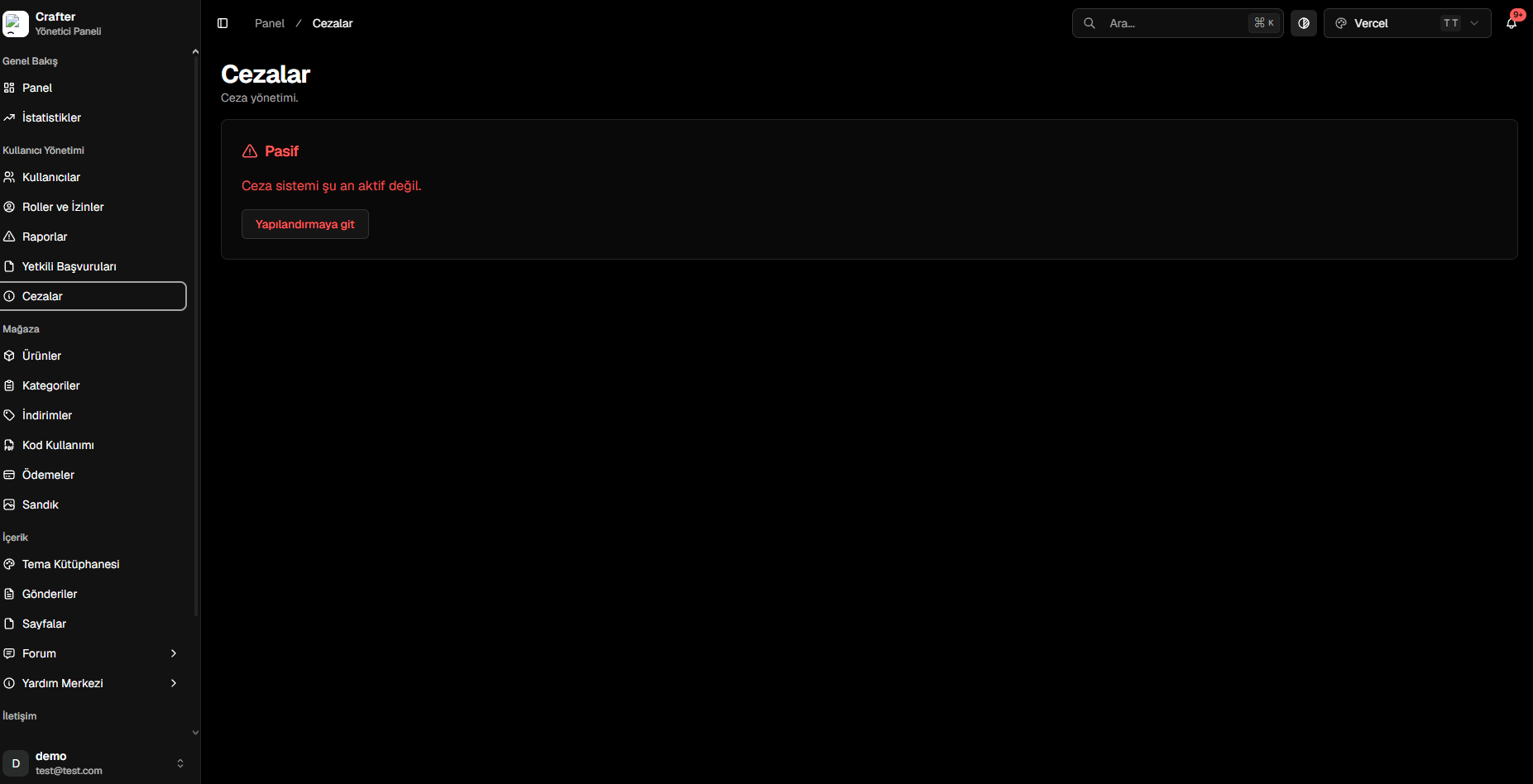 * **Dashboard:** Filter active and expired penalties, review issuing staff members, reasons, and expiry times.
* **Public Web Page:** Players can visit `yourdomain.com/punishments` to inspect moderation transparency in real time.
* **Dashboard:** Filter active and expired penalties, review issuing staff members, reasons, and expiry times.
* **Public Web Page:** Players can visit `yourdomain.com/punishments` to inspect moderation transparency in real time.