> ## Documentation Index
> Fetch the complete documentation index at: https://docs.crafter.net.tr/llms.txt
> Use this file to discover all available pages before exploring further.
# Users
> Manage registered users, balances, permissions, and account history.
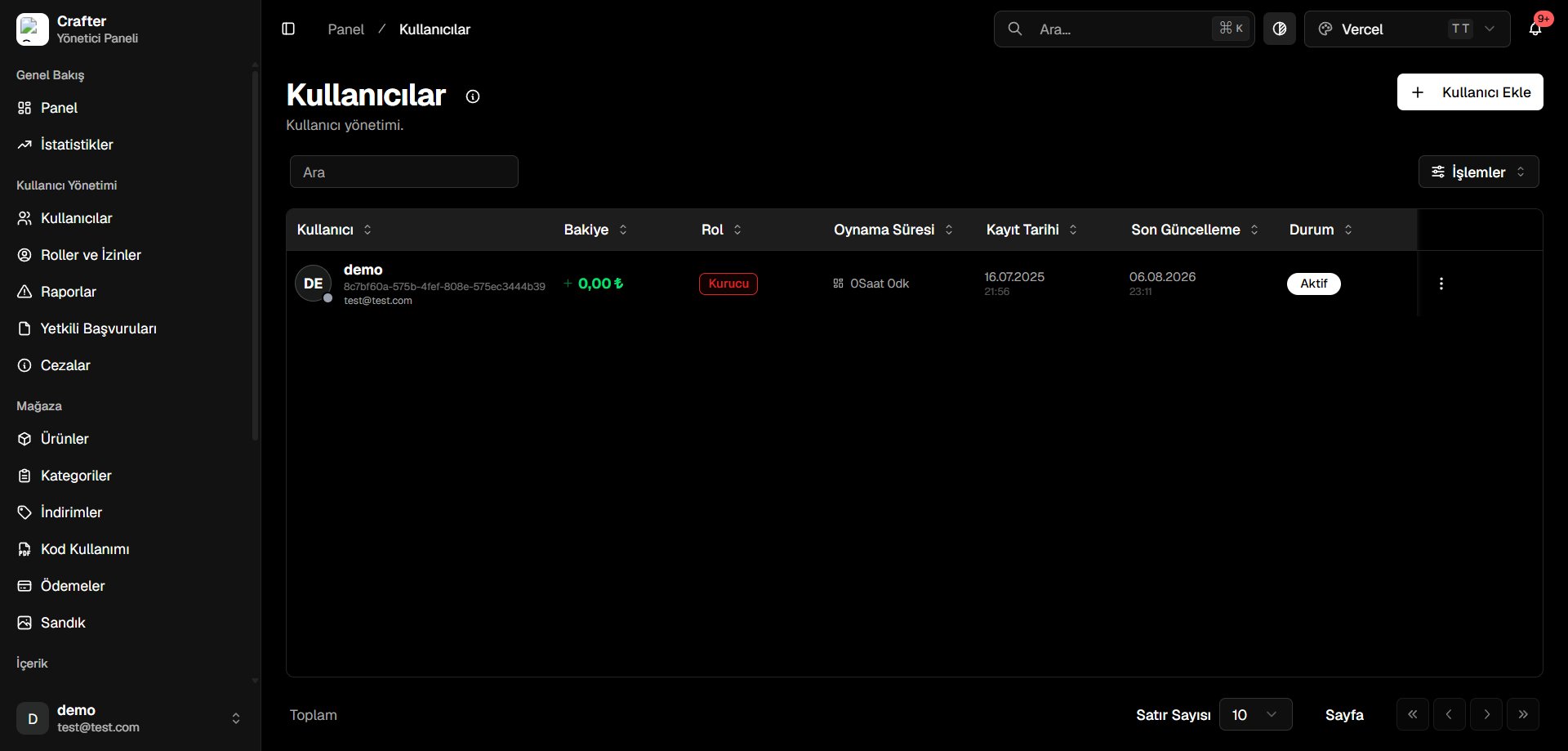 On this page, you can view and manage all registered players and accounts on your gaming platform.
***
## User Management Operations
### Adding Users Manually
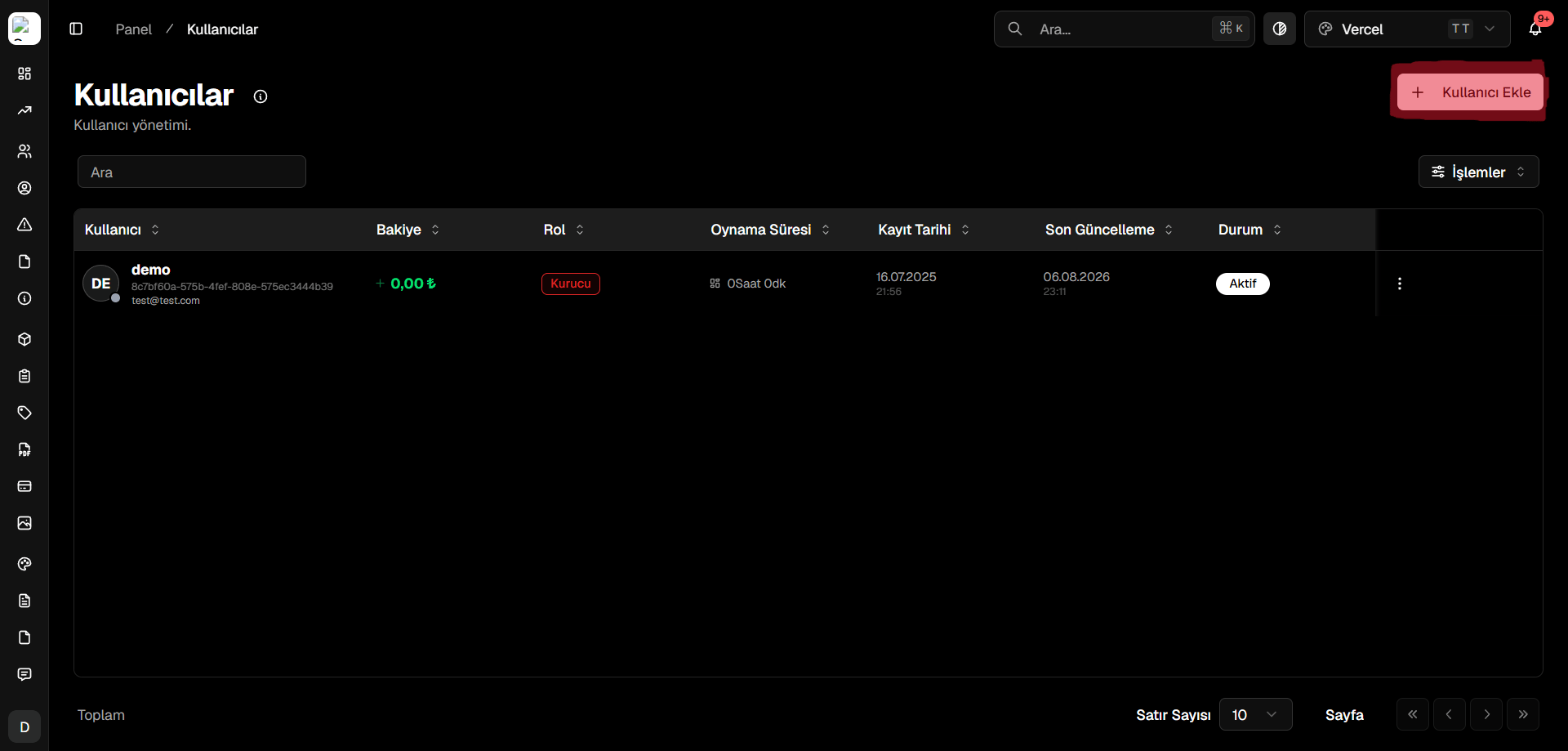
To manually create a user account from the dashboard, click the designated button shown below:
On this page, you can view and manage all registered players and accounts on your gaming platform.
***
## User Management Operations
### Adding Users Manually
To manually create a user account from the dashboard, click the designated button shown below:
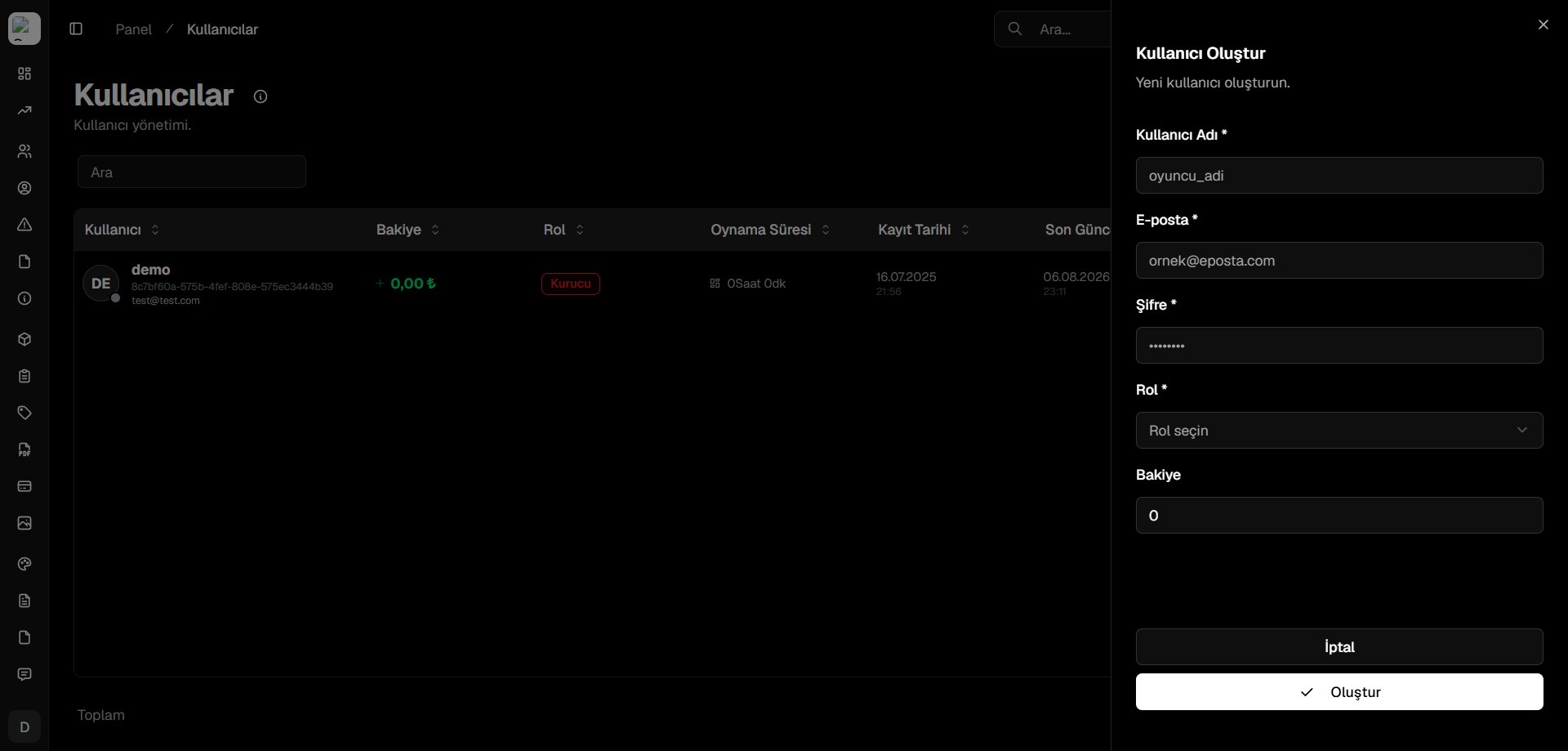 Fill in the required user credentials (username, email, initial password, and role) to add the account.
### Editing & Managing Existing Users
Click the action menu icon next to any user row to view account management options:
Fill in the required user credentials (username, email, initial password, and role) to add the account.
### Editing & Managing Existing Users
Click the action menu icon next to any user row to view account management options:
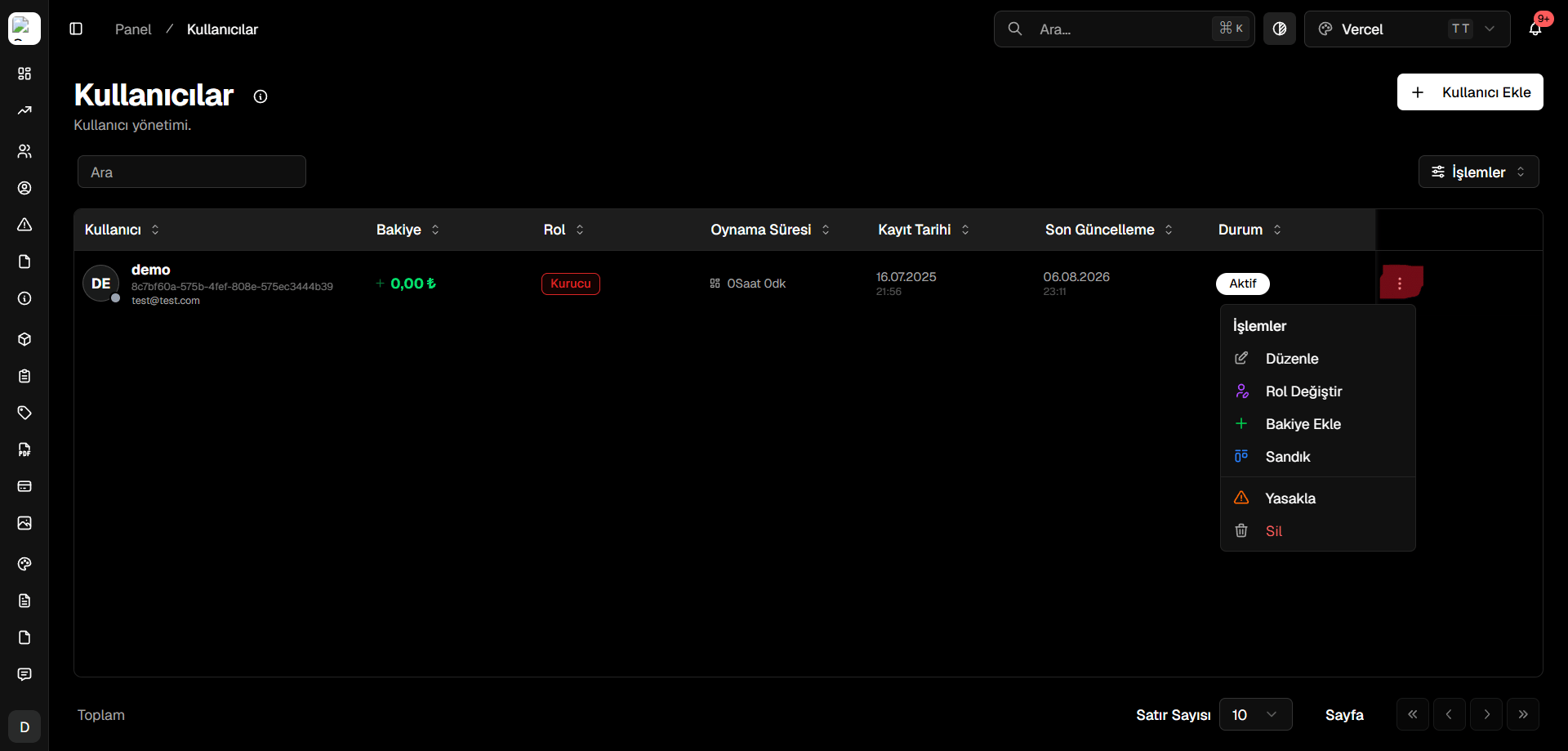 From the actions dropdown, you can:
* Edit profile details and email addresses
* Change user role and permission hierarchy
* Add or deduct store credits/balance
* Review product purchase history and active subscriptions
* Delete or ban the user account
From the actions dropdown, you can:
* Edit profile details and email addresses
* Change user role and permission hierarchy
* Add or deduct store credits/balance
* Review product purchase history and active subscriptions
* Delete or ban the user account