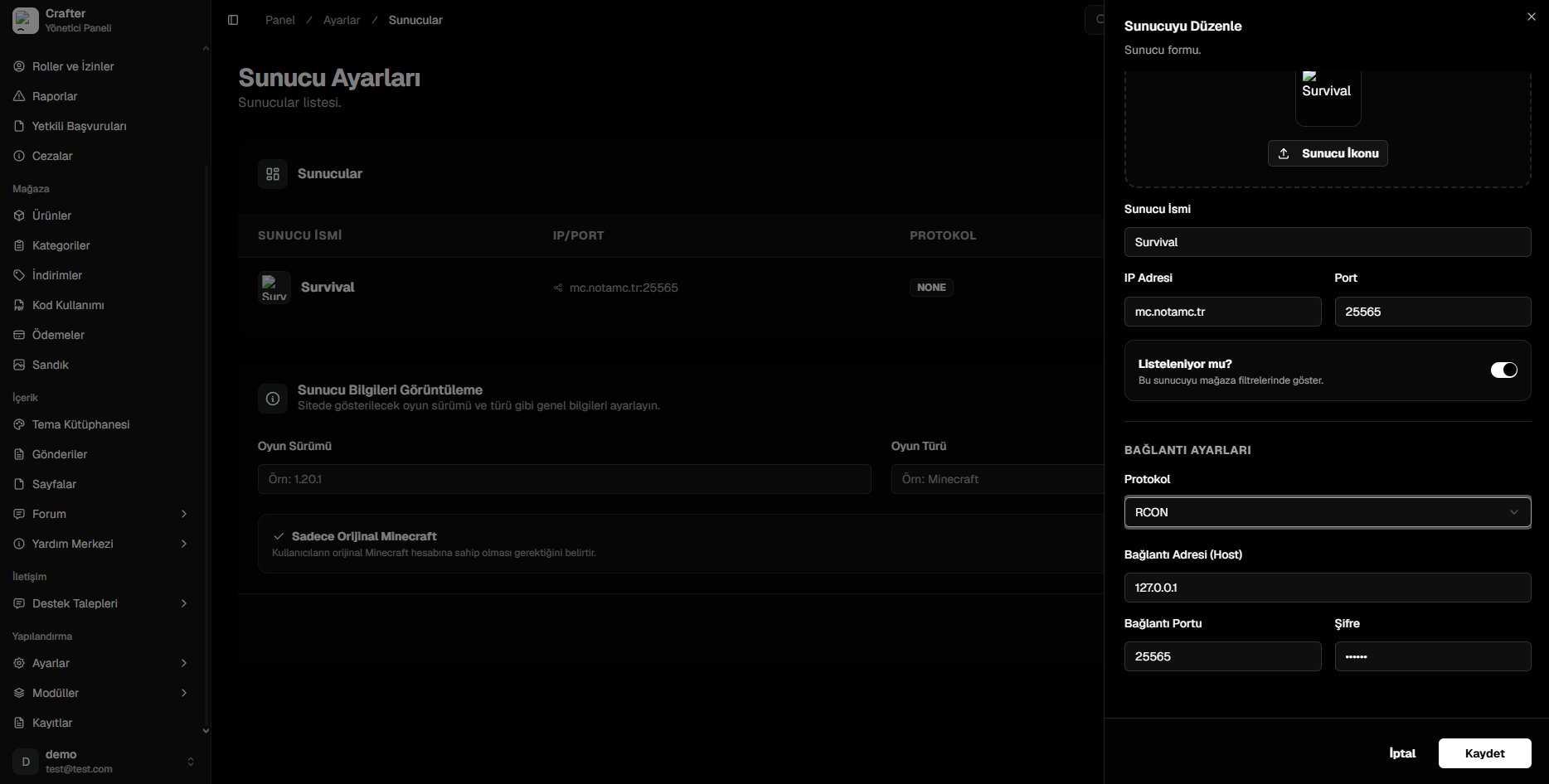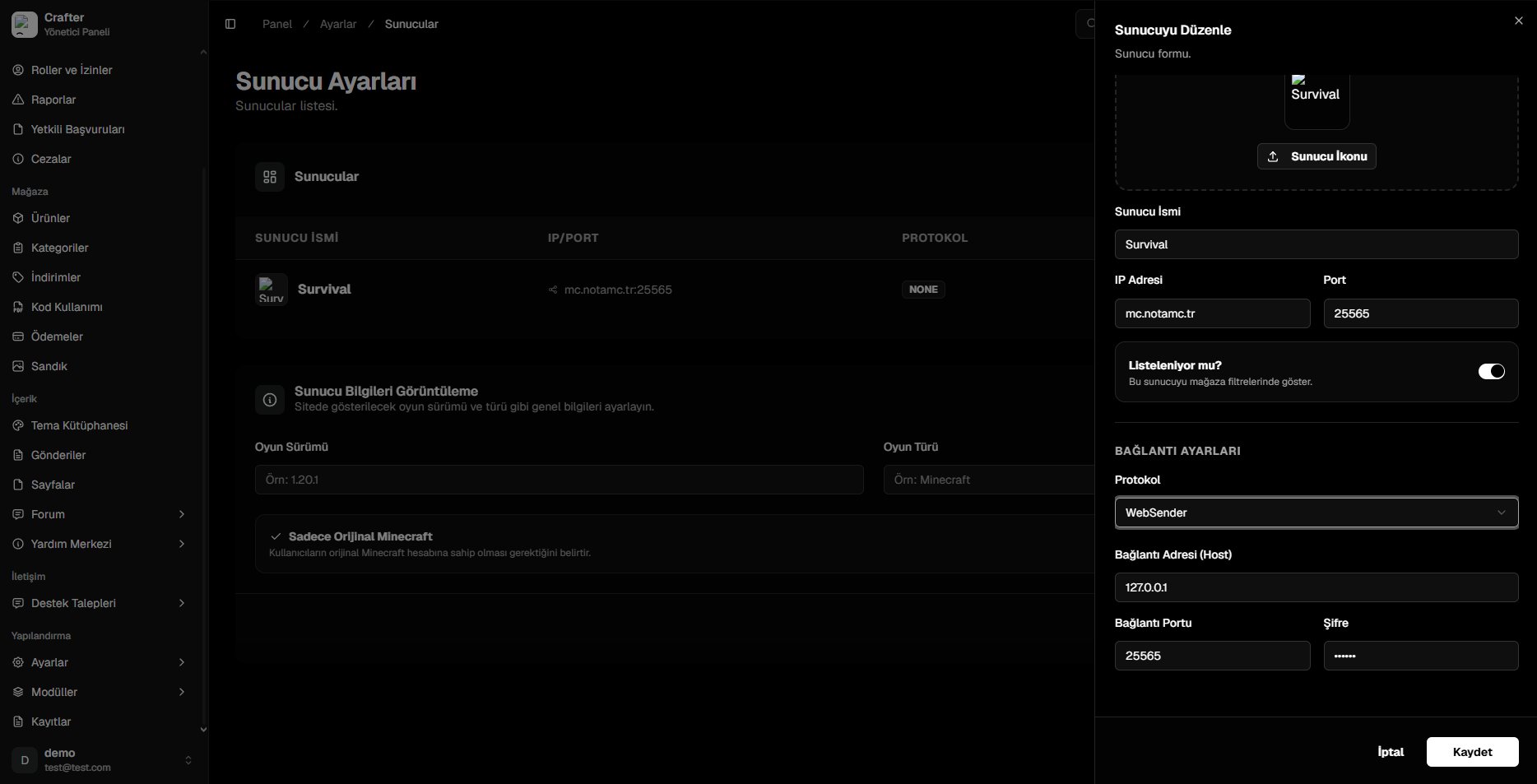
- CrafterConnect (Recommended)
- RCON
- WebSender
1
Download the Plugin
Download the latest
CrafterConnect.jar from GitHub Releases and place it into your server’s plugins/ directory.2
Obtain Website & Server ID
- Navigate to Dashboard > Servers.
- Create a new server or click Edit on an existing server.
- Copy the Website ID and Server ID values.
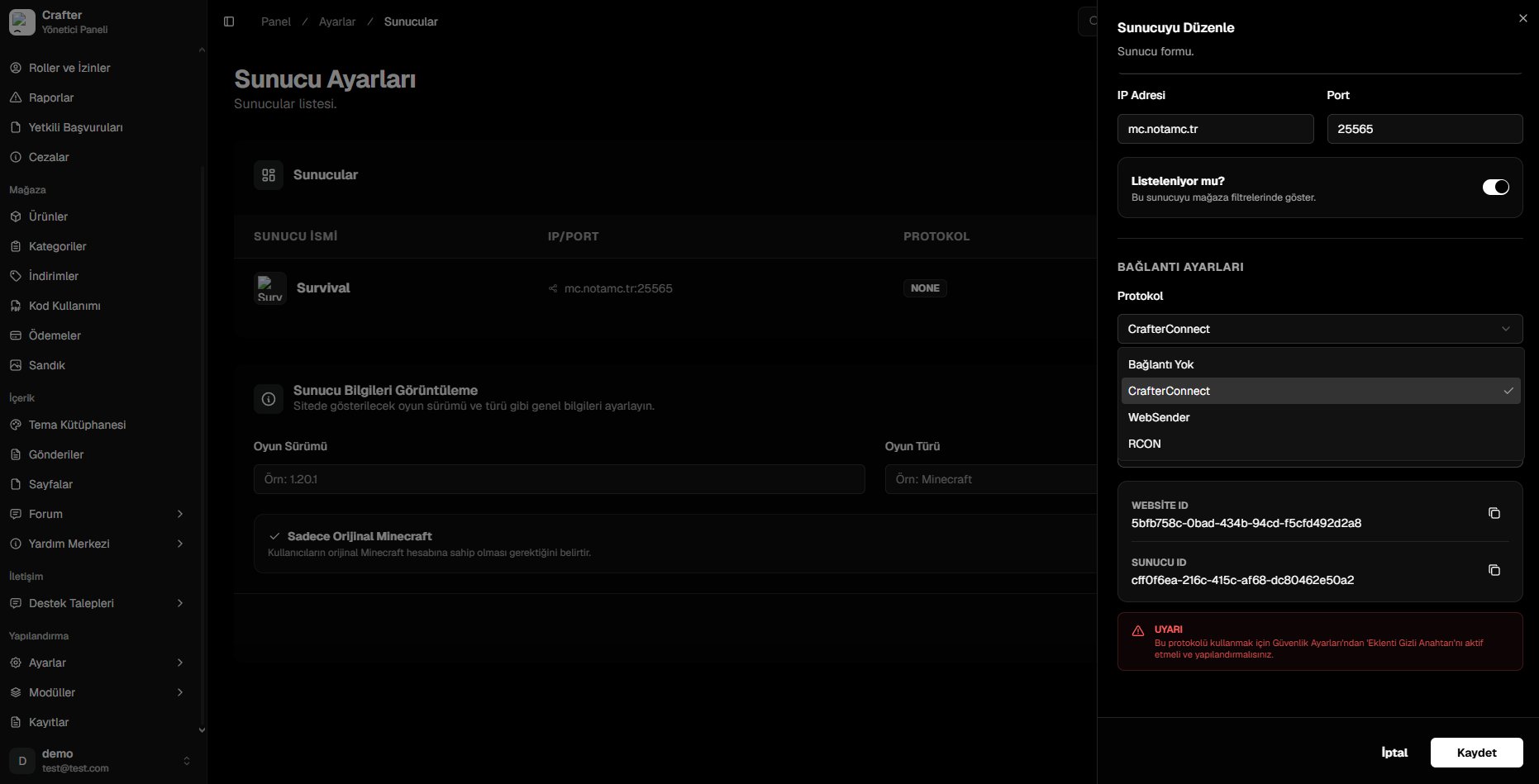
Copy Website ID and Server ID from Server Settings
When registering a new server, the
Server ID is generated immediately after saving.3
Generate Plugin Secret Key
- Open the Dashboard > Security tab.
- Toggle on Enable Plugin Synchronization and save settings.
- Copy your unique
Plugin Secret Key.
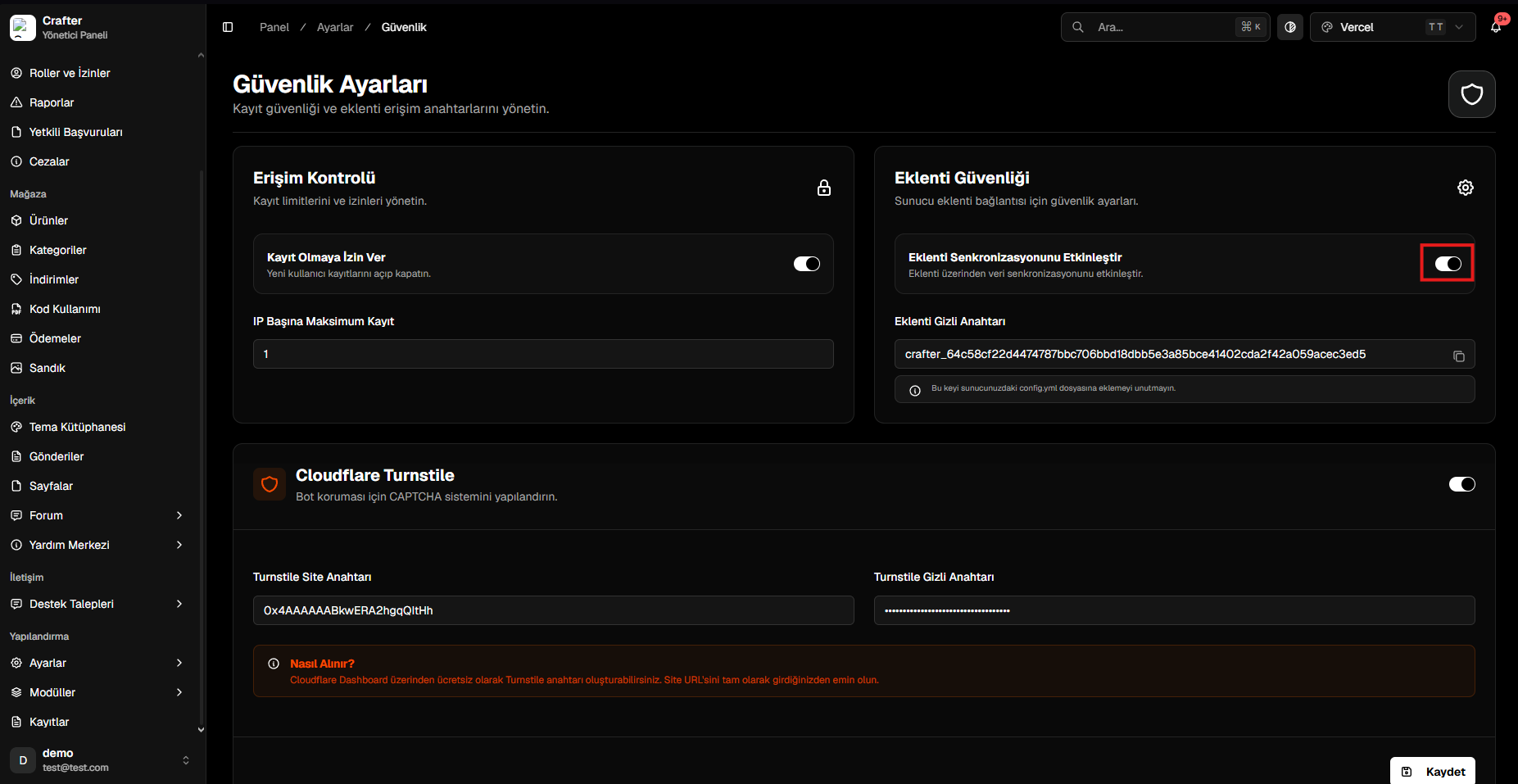
Enable plugin sync and copy the Secret Key from Security Settings
4
Configure config.yml
Start your server once to generate Restart your server. You will see a successful connection message in your server console.
plugins/CrafterConnect/config.yml, open it, and paste your values:config.yml