
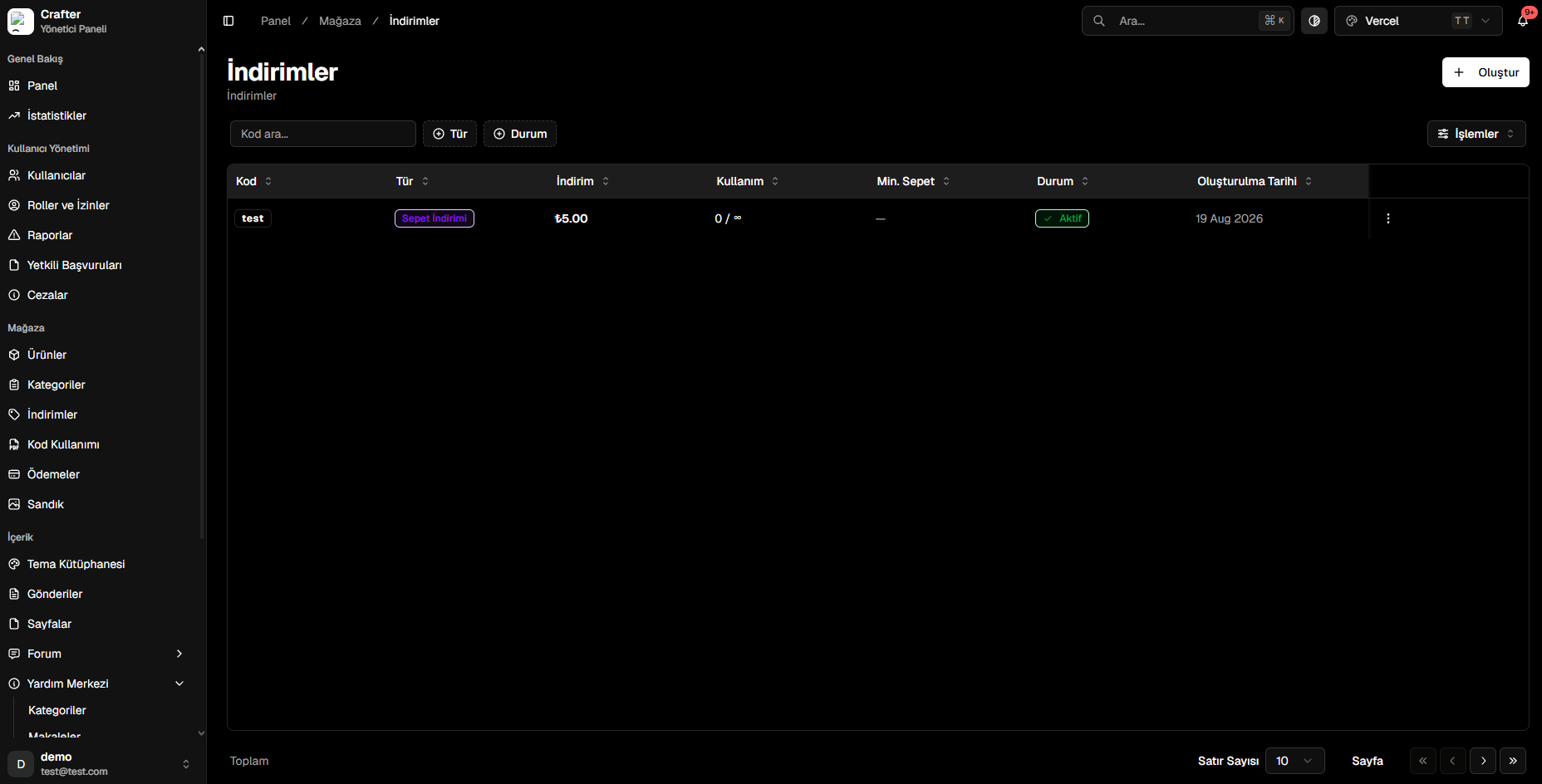
Discounts & Coupon Management Overview
Creating a Discount Coupon
1
Open Coupon Creator
Click the + Create button in the top right corner of the Discounts page.
2
Set the Coupon Code
- Code: Alphanumeric promo key entered by players at checkout (e.g.,
SUMMER2026,VIP15,WELCOME).
3
Choose Discount Type
- Cart Discount: Applies a fixed amount or percentage discount to the entire basket total.
- Product Discount: Targets specific items or categories.
- Free Product: Automatically adds a designated promotional product at zero cost.
4
Configure Quotas & Minimum Spend
- Min. Cart Total: Minimum basket spend required to activate the code.
- Usage Limit: Maximum number of redemptions allowed across the server (leave empty for unlimited
∞).
5
Publish Coupon
Click Create to launch the promotion immediately.
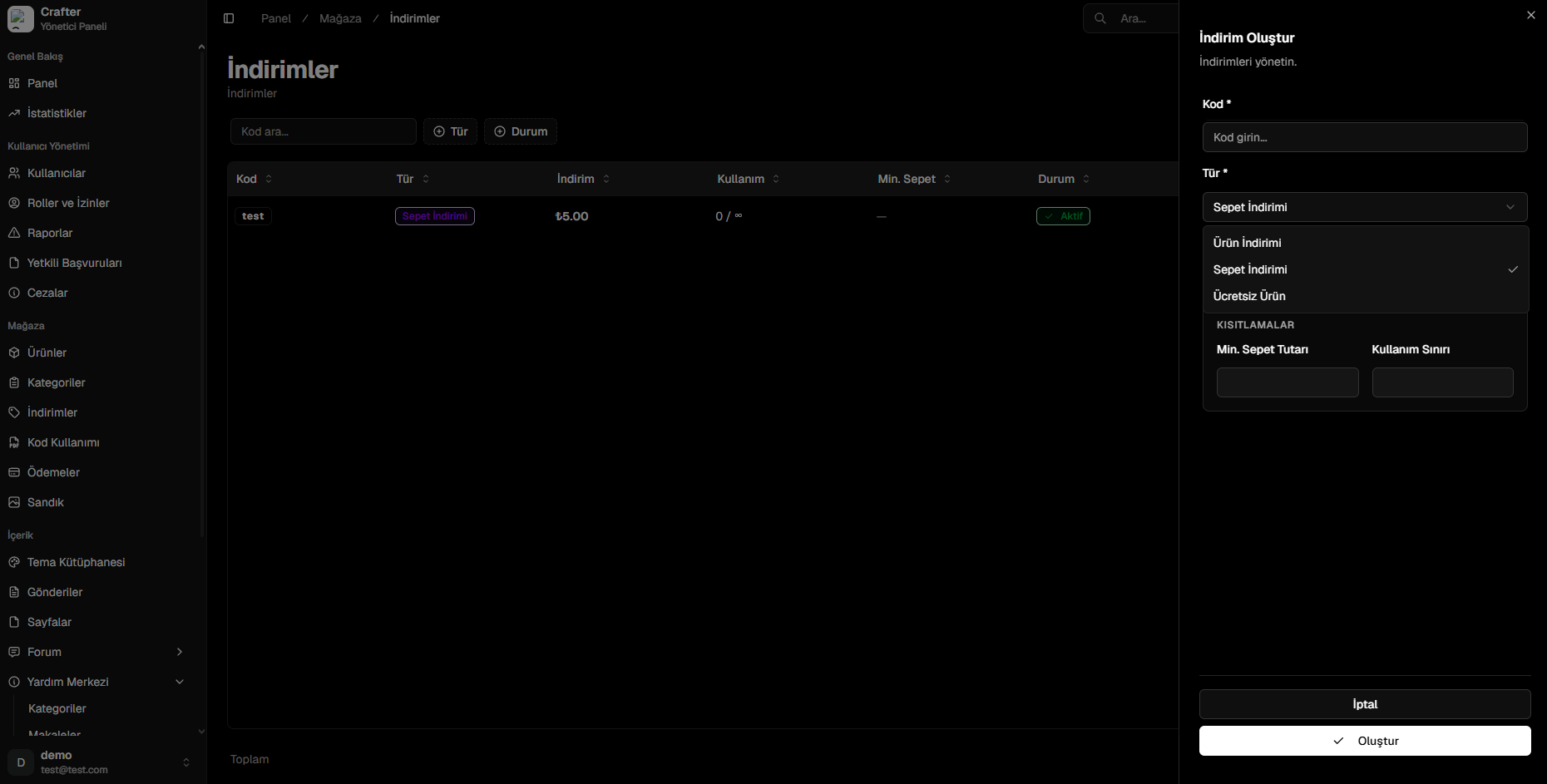
Discount Coupon Creation Panel
Coupon Tracking & Analytics
Every coupon is displayed with real-time redemption metrics:- Code: Promo identifier.
- Type: Category (Cart Discount, Product Discount, Free Item).
- Discount: Value (e.g.,
₺5.00or15%). - Usage: Current vs max redemptions (e.g.,
12 / 50or0 / ∞). - Min. Cart: Threshold spend.
- Status: Active, Disabled, or Expired.
- Created Date: Creation timestamp.