
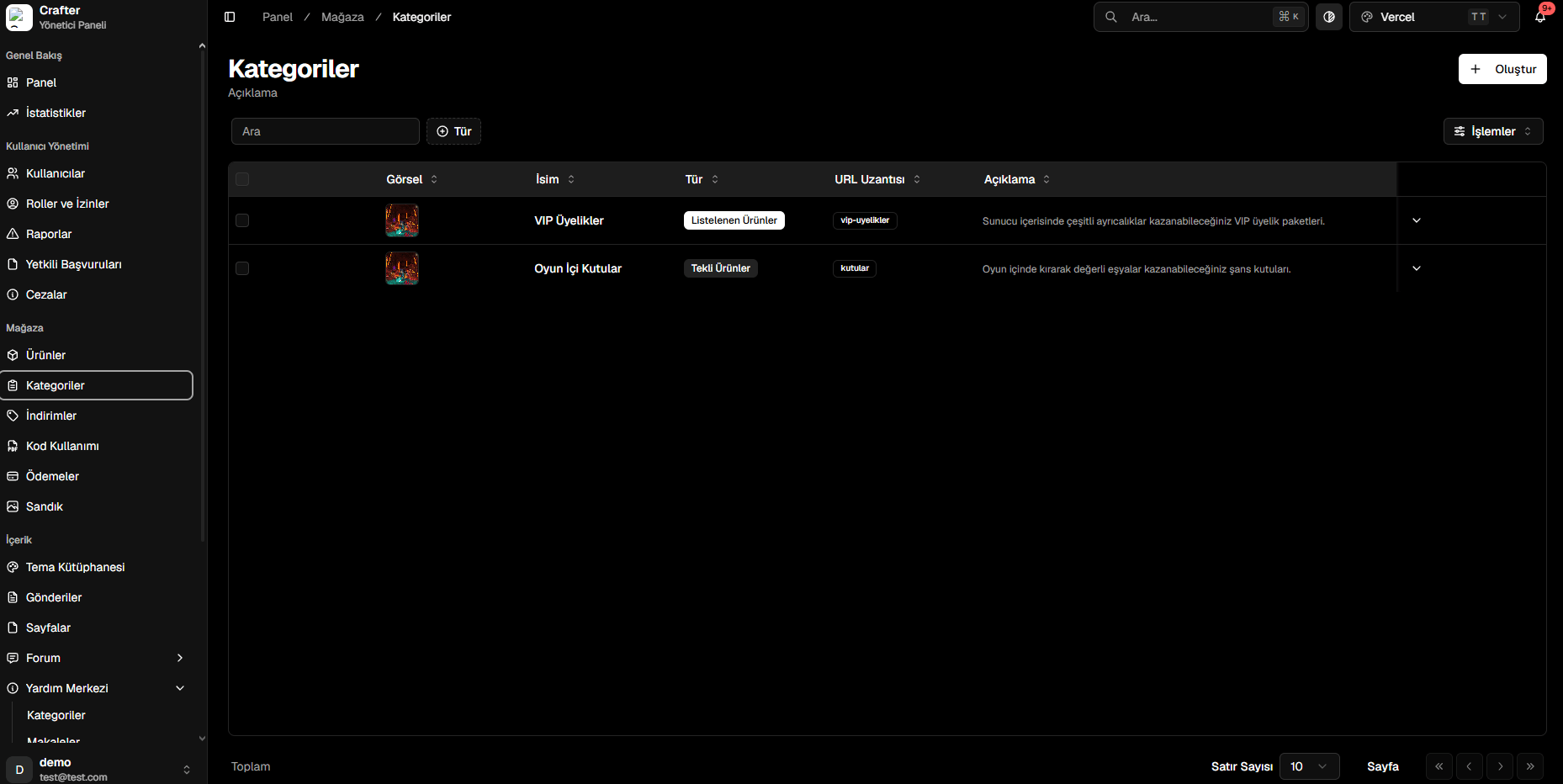
Store Categories Management List
Creating a Category
1
Open Category Creator
Click the + Create button in the top right corner of the Categories page.
2
Configure Details & Display Type
- Name: Title displayed in the store navigation (e.g.,
VIP Ranks,In-Game Crates). - Type:
- Listed Products: Traditional catalog grid displaying multiple products.
- Single Product Showcase: Featured showcase highlight focusing on dedicated packages.
- Server: Target server where items in this category apply.
3
Select Category Image
Choose a banner/icon from the Crafter Media Library or upload a custom image.
4
Enter Description & Save
Add a brief summary describing what perks players receive, then click Create.
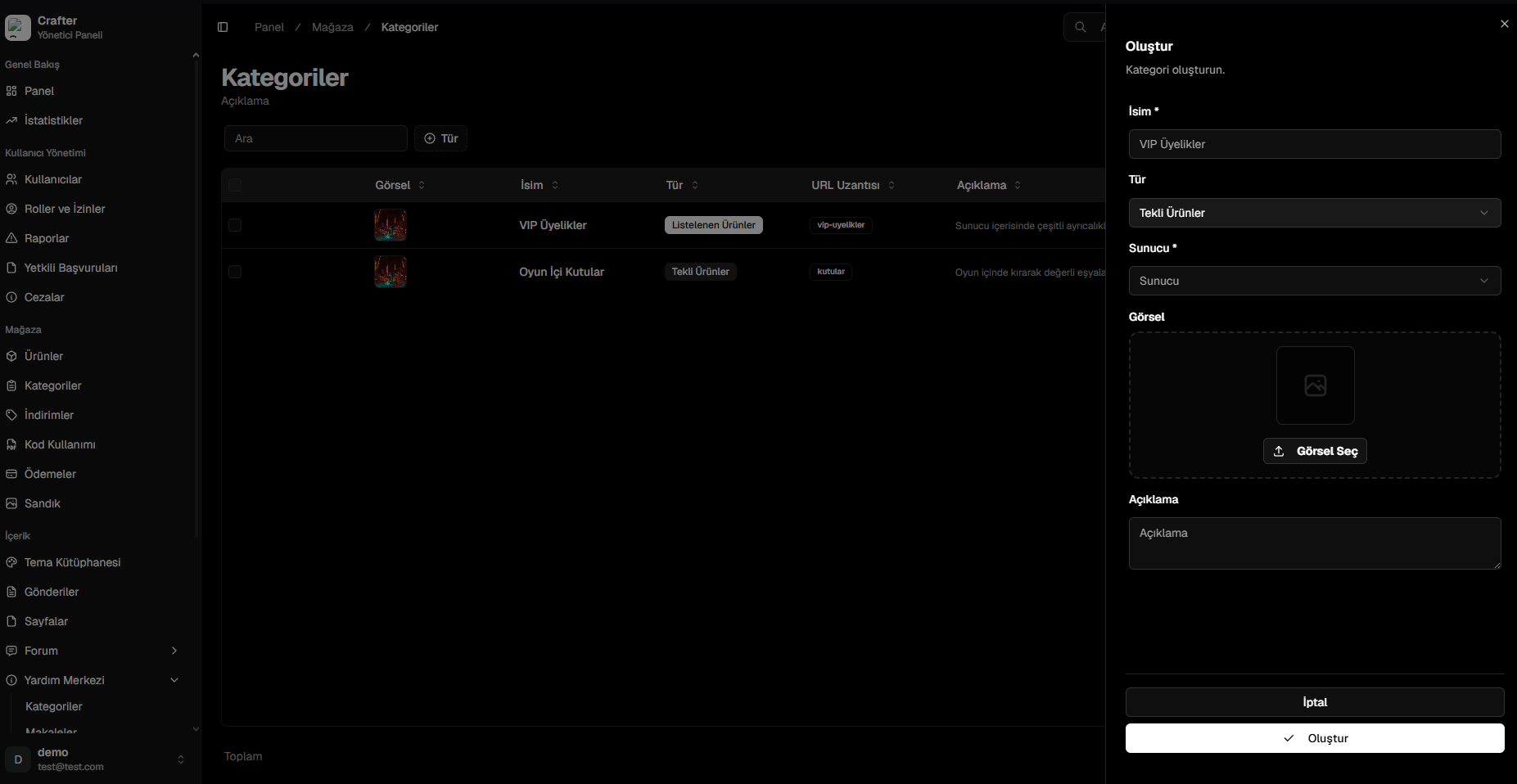
Category Creation & Edit Panel
URL Slugs & Clean Routing
Each category receives a clean, SEO-optimized URL path:- VIP Memberships:
yourdomain.com/store/<server>/vip-ranks - Crates:
yourdomain.com/store/<server>/crates