
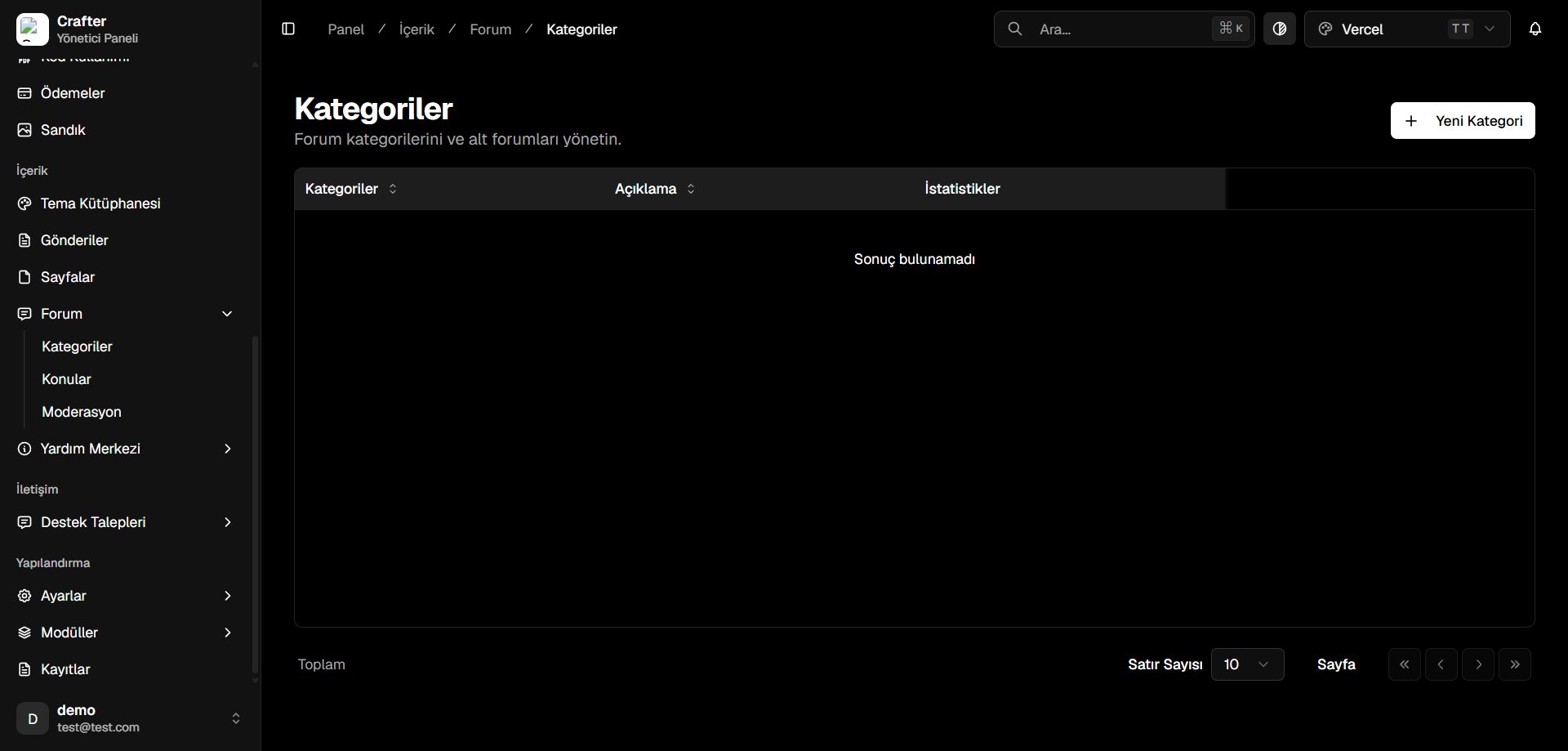
Forum Categories Management Interface
Forum Categories Table
- Categories: Forum section title and accompanying icon.
- Description: Purpose, guidelines, and context of the forum board.
- Statistics: Real-time count of total discussion threads and replies.
Creating a Forum Category
1
Open Category Creator
Click + New Category in the top right corner.
2
Define Category Metadata
- Name: Title displayed on the forum (e.g., General Discussion, Guides & Tutorials).
- Description: Summary explaining what discussions belong here.
- Icon: FontAwesome or Lucide icon name (e.g.,
folder,comments,book-open).
3
Save Category
Click Save to make the forum board active.
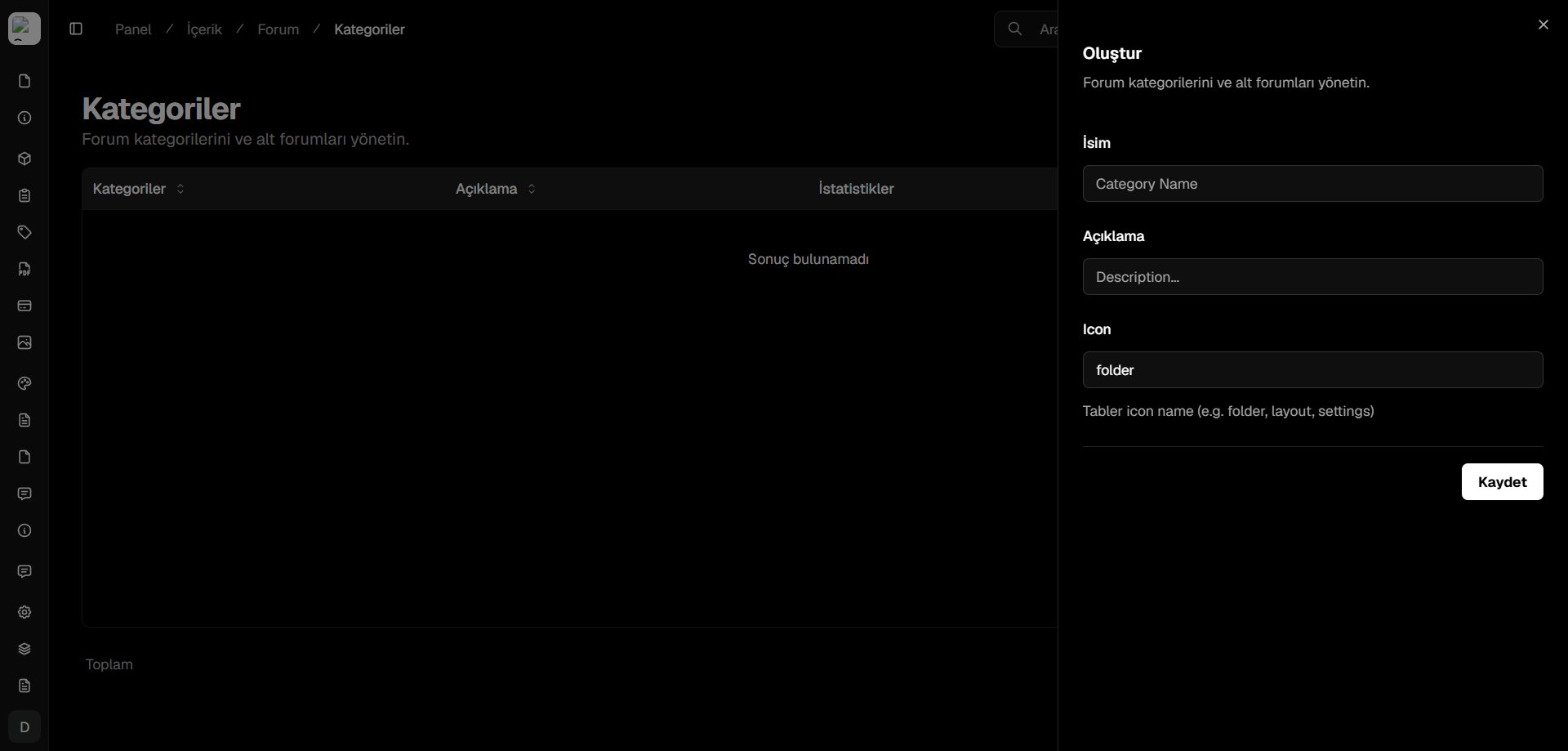
New Forum Category Creator Drawer