
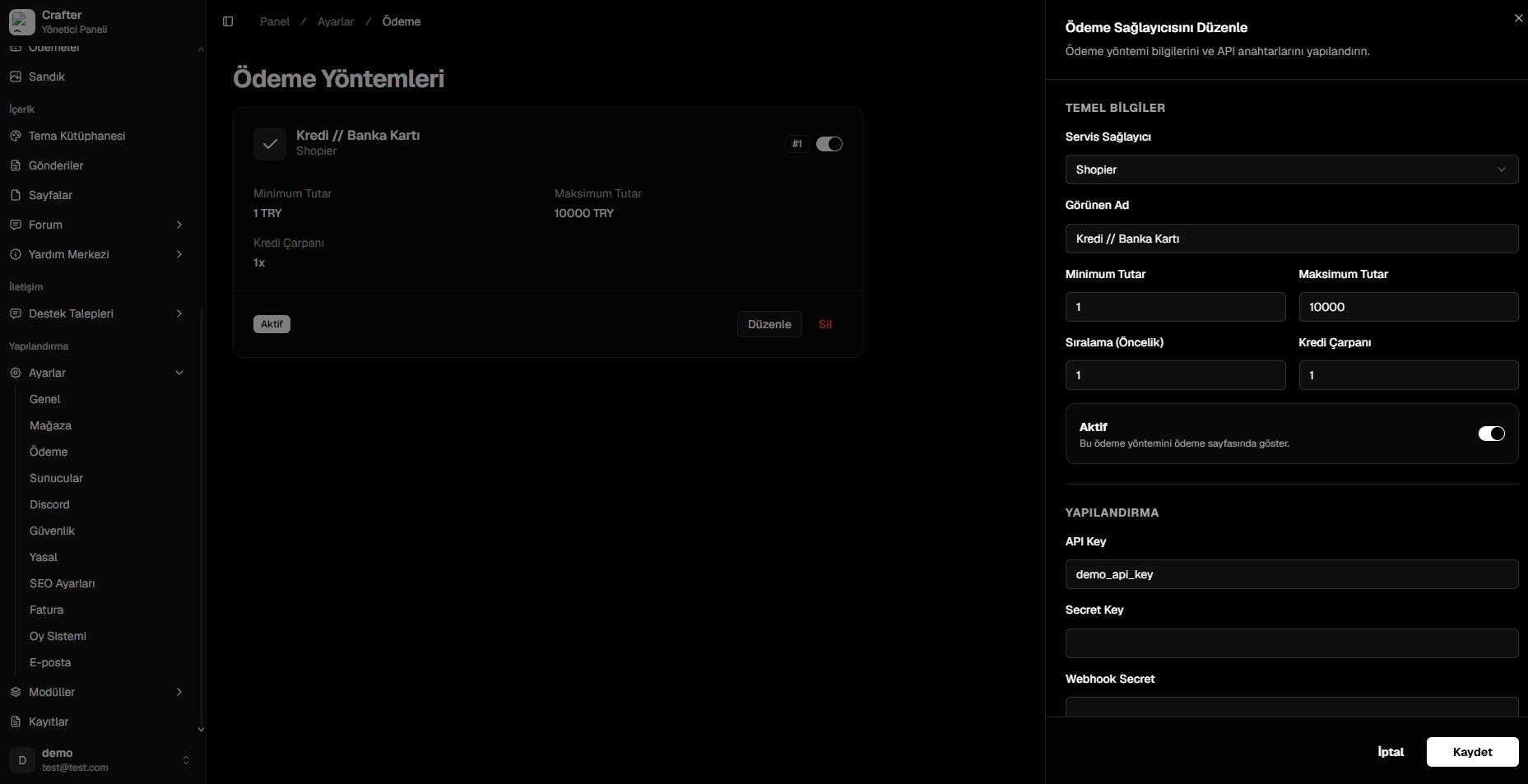
Payment Providers Management Interface
Gateway Parameters
1. General Properties
- Service Provider: Supported payment gateway (Shopier, Iyzico, PayTR, Stripe, Tosla, XSolla).
- Display Name: Title shown on the checkout page (e.g.,
Credit / Debit Card,International Cards). - Minimum Amount: Smallest allowed transaction value.
- Maximum Amount: Highest allowed transaction cap per checkout.
- Sort Order: Priority index determining placement order on the checkout screen.
- Credit Multiplier (Bonus): Define promotional bonus balance rates:
- Standard rate is
1(1x). - Set to
1.2(1.2x) to grant 120 credits when a player pays 100 currency units.
- Standard rate is
- Active (Toggle): Instant visibility switch.
2. API Credentials & Security
Enter the API keys provided by your payment gateway:- API Key / Merchant ID
- Secret Key / Password
- Webhook Secret / Salt