
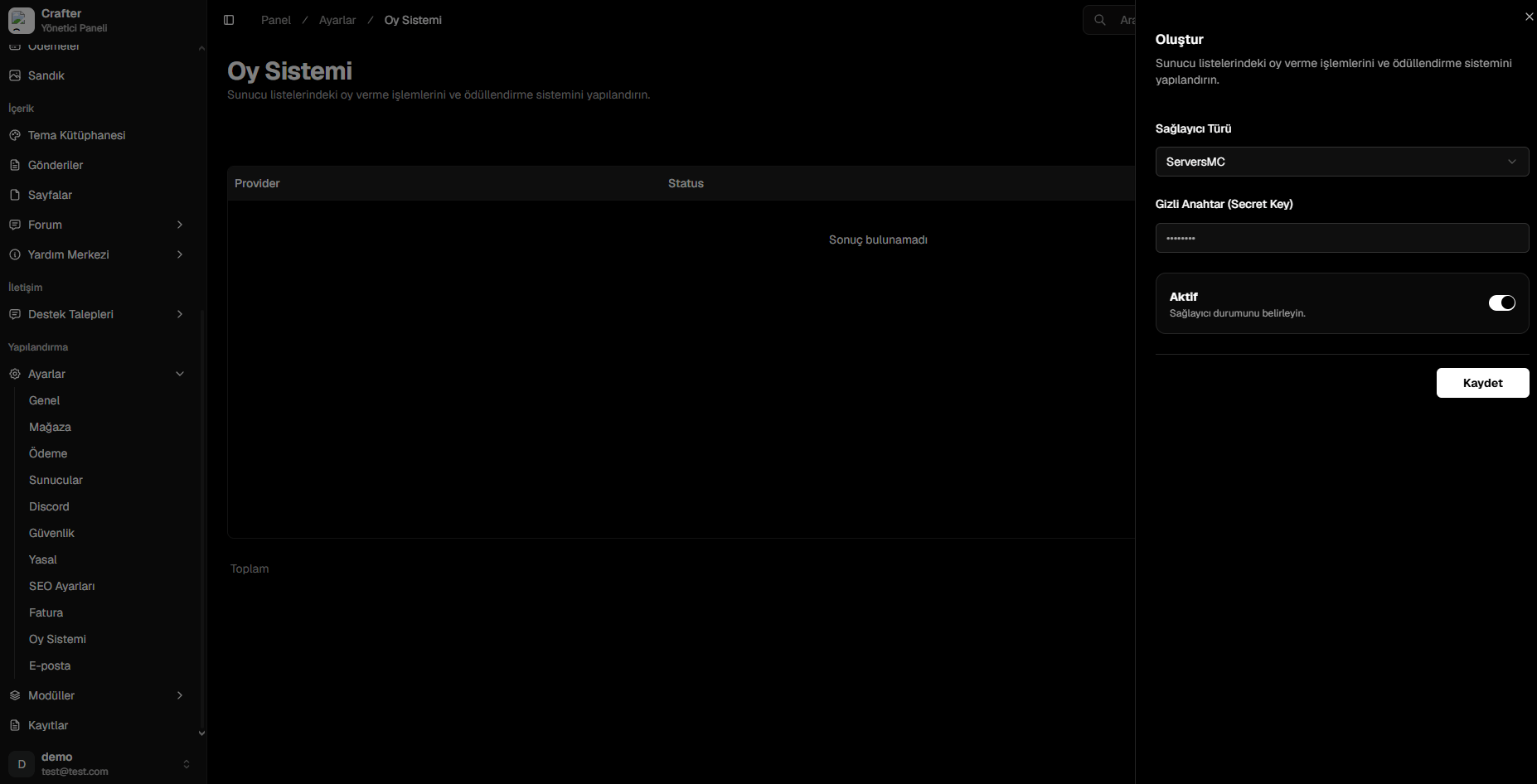
Vote Provider Configuration Interface
ServersMC Integration Setup
1
Navigate to ServersMC Profile
Log in to ServersMC and open the Management / Settings area for your registered server.
2
Copy Secret Key
Copy the alphanumeric Secret Key associated with your server.
3
Configure in Crafter
Select
ServersMC as the provider, paste your Secret Key, and set status to active.4
Save
Click Save to enable real-time vote synchronization.