
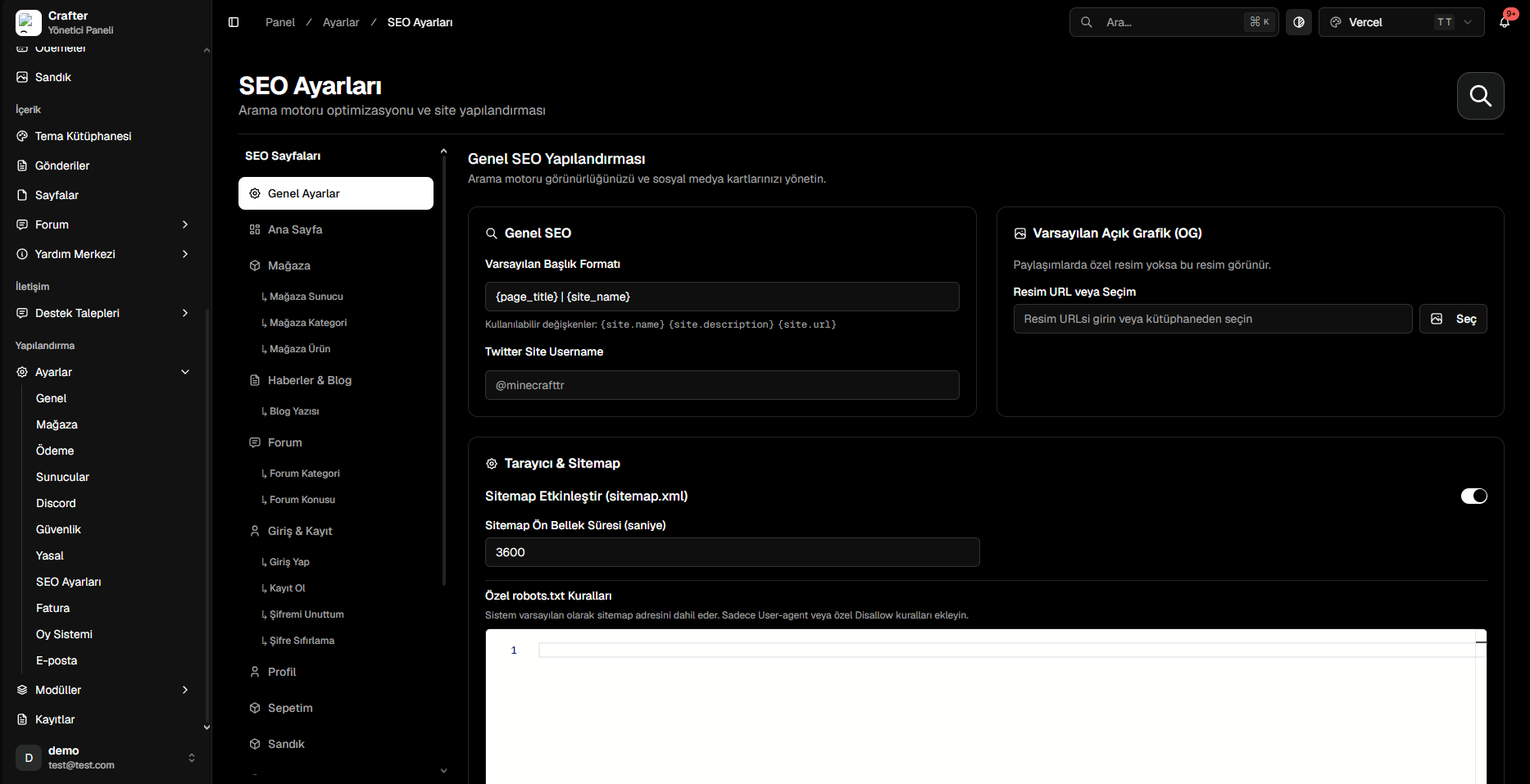
Global SEO Configuration Interface
1. Global Defaults
- Default Title Pattern: Standard page title pattern (e.g.,
{page_title} | {site_name}). - Twitter Handle: Twitter/X account tagged in shared links (e.g.,
@CrafterNetwork). - Default OG Image: Fallback preview banner when no specific page image is assigned.
2. XML Sitemap & Crawlers
- Enable XML Sitemap: Generates dynamic XML feeds for Google at
yourdomain.com/sitemap.xml. - Sitemap Cache Duration: Invalidation cache lifetime in seconds (e.g.,
3600). - Custom robots.txt Rules: Specify crawl directives and crawler rules.
3. Page-Specific SEO & Live Google Preview
Customize meta tags for individual sections (Home, Store, Blog, Forum, Login, Profile, Cart, Chest):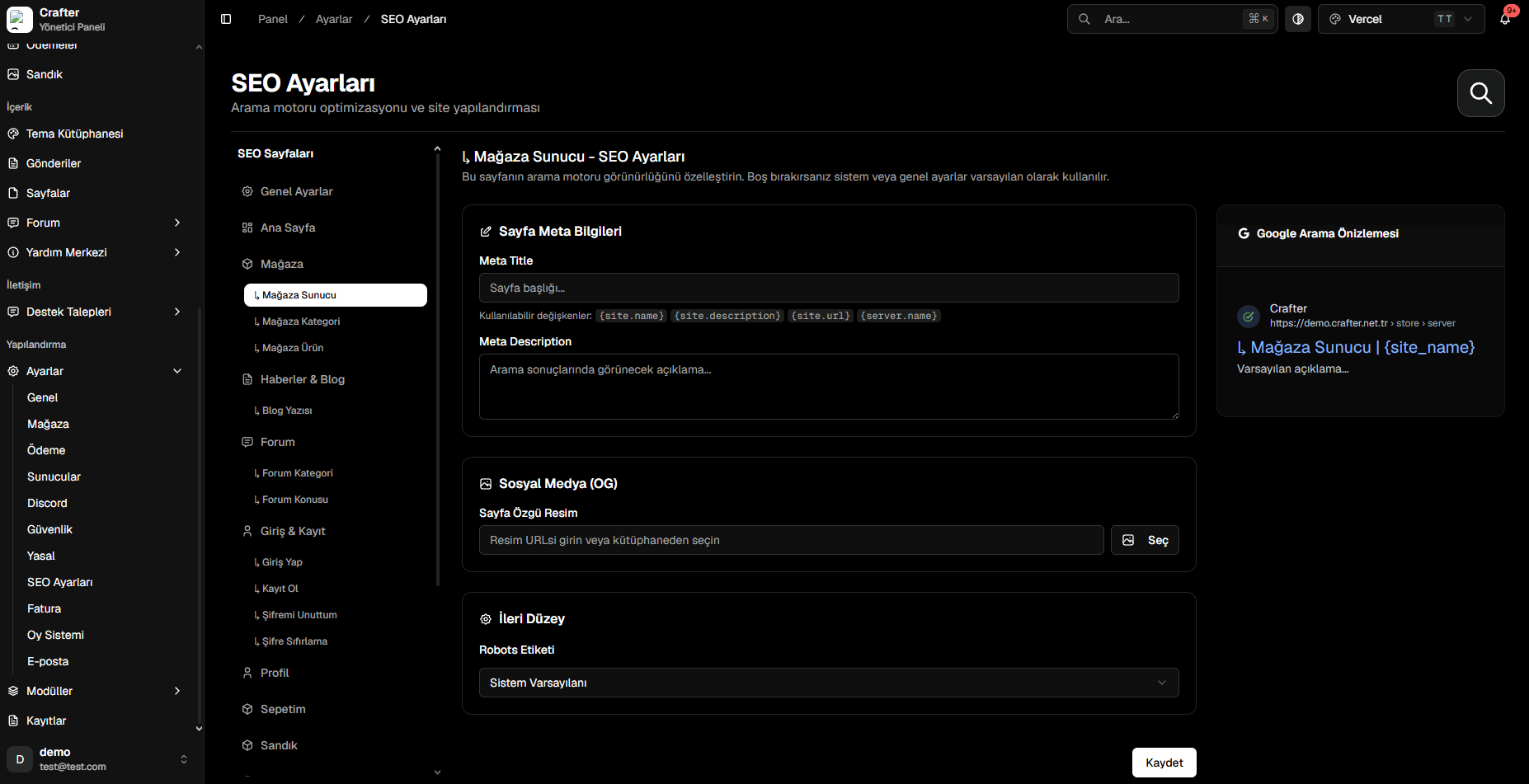
Page-Specific SEO & Live Google SERP Simulation