
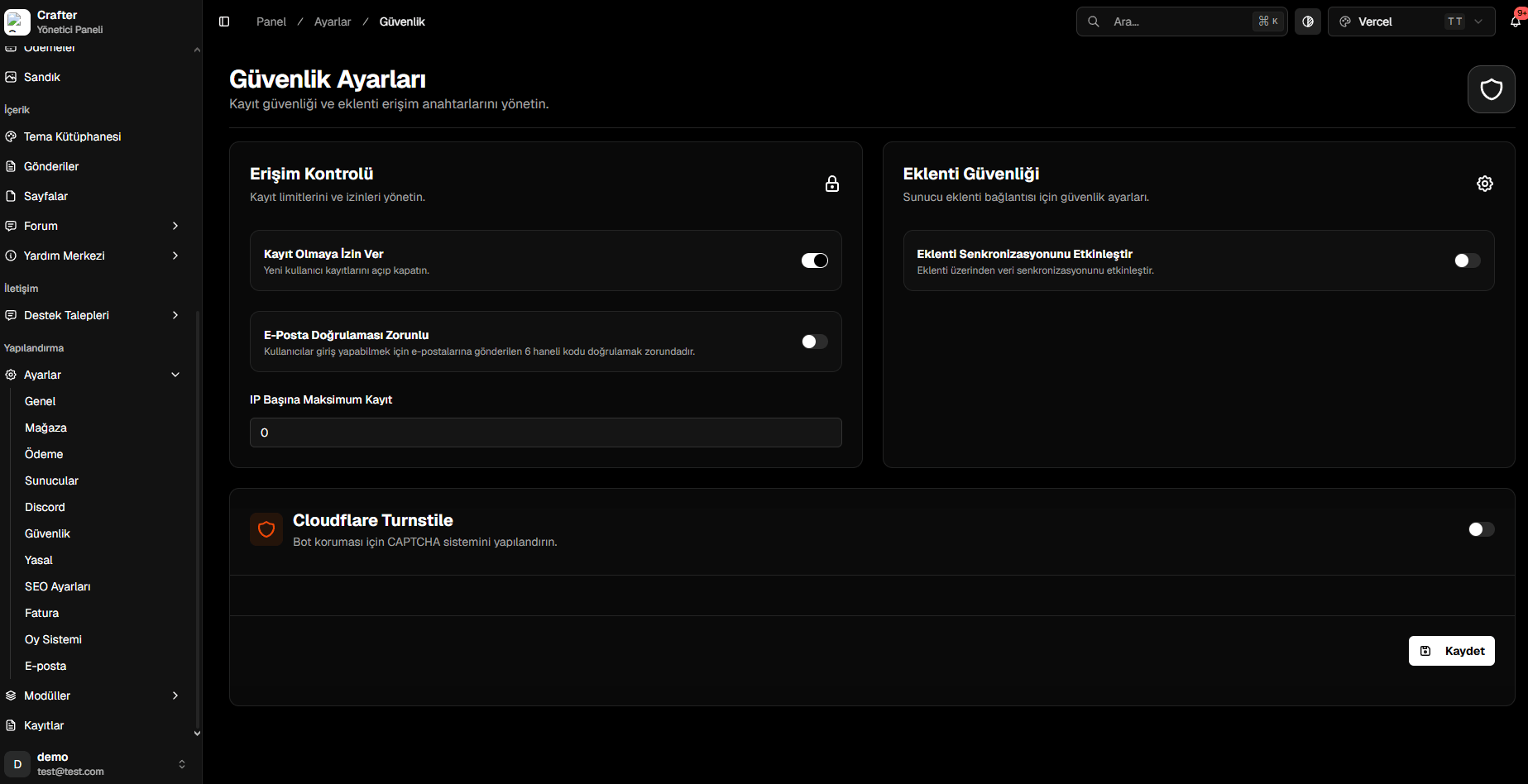
Security Settings Panel
1. Access Control (Registration Policies)
- Allow Registration (Toggle): Instantly enable or lock new user account registrations.
- Require Email Verification (Toggle): Mandate 6-digit confirmation codes sent to the player’s email before granting login access.
- Max Registrations Per IP: Limit maximum accounts that can be registered from a single IP address (
0for unlimited).
2. Plugin Security (CrafterConnect)
- Enable Plugin Synchronization (Toggle): Must be enabled for
CrafterConnectand official plugins to synchronize commands and data with the website. - When disabled, all external incoming plugin API requests are immediately blocked.
3. Cloudflare Turnstile (Bot Protection)
Protects all forms (Registration, Login, Applications) with invisible, privacy-first CAPTCHA.- Cloudflare Turnstile (Toggle): Enable bot protection.
- Paste your Site Key and Secret Key generated from your Cloudflare dashboard.
Cloudflare Turnstile Setup Walkthrough
Read the step-by-step guide on creating Turnstile widgets and obtaining API keys.