
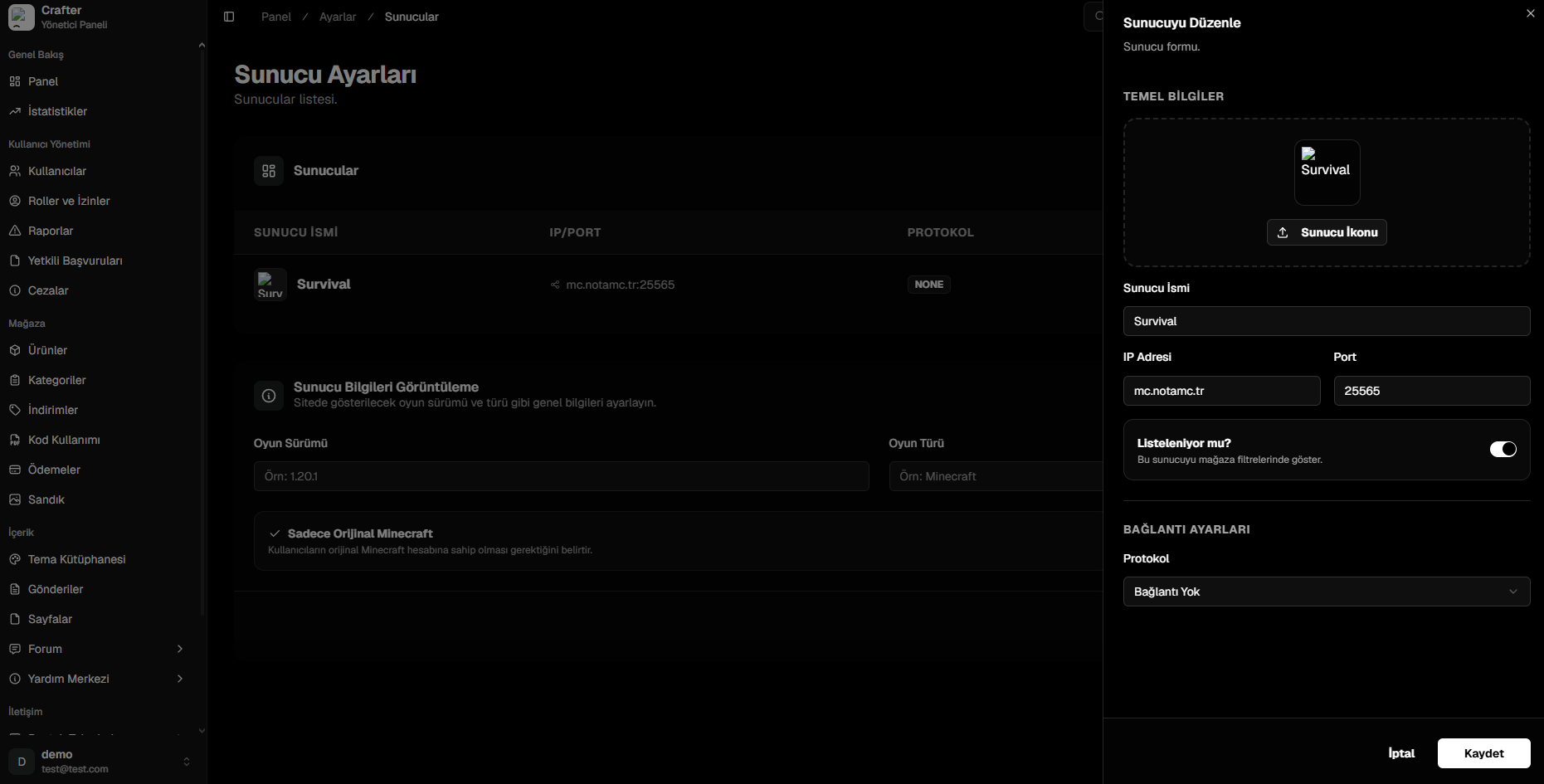
Server Configuration Management Interface
Server Properties
1. General Info
- Server Icon: Subserver logo/icon shown in store filter dropdowns.
- Server Name: Display title (e.g.,
Survival 1.20,Hardcore Skyblock). - IP Address & Port: Direct connection endpoint (e.g.,
play.yourdomain.com:25565). - Listed in Store (Toggle): Enables filtering by this realm on the web store.
2. Connection Protocols
- CrafterConnect (Recommended)
- RCON
- WebSender
- None (Showcase Only)
Official secure two-way WebSocket bridge plugin.
- Requirements: Install
CrafterConnect.jarinto your server’splugins/directory. - Benefits: No port forwarding required; zero-latency command delivery; reliable chest sync.
- Setup: Paste the Website ID, Server ID, and Plugin Secret Key into
config.yml.
Minecraft Server Setup Walkthrough
Read the complete step-by-step setup guide for
CrafterConnect and RCON configurations.