
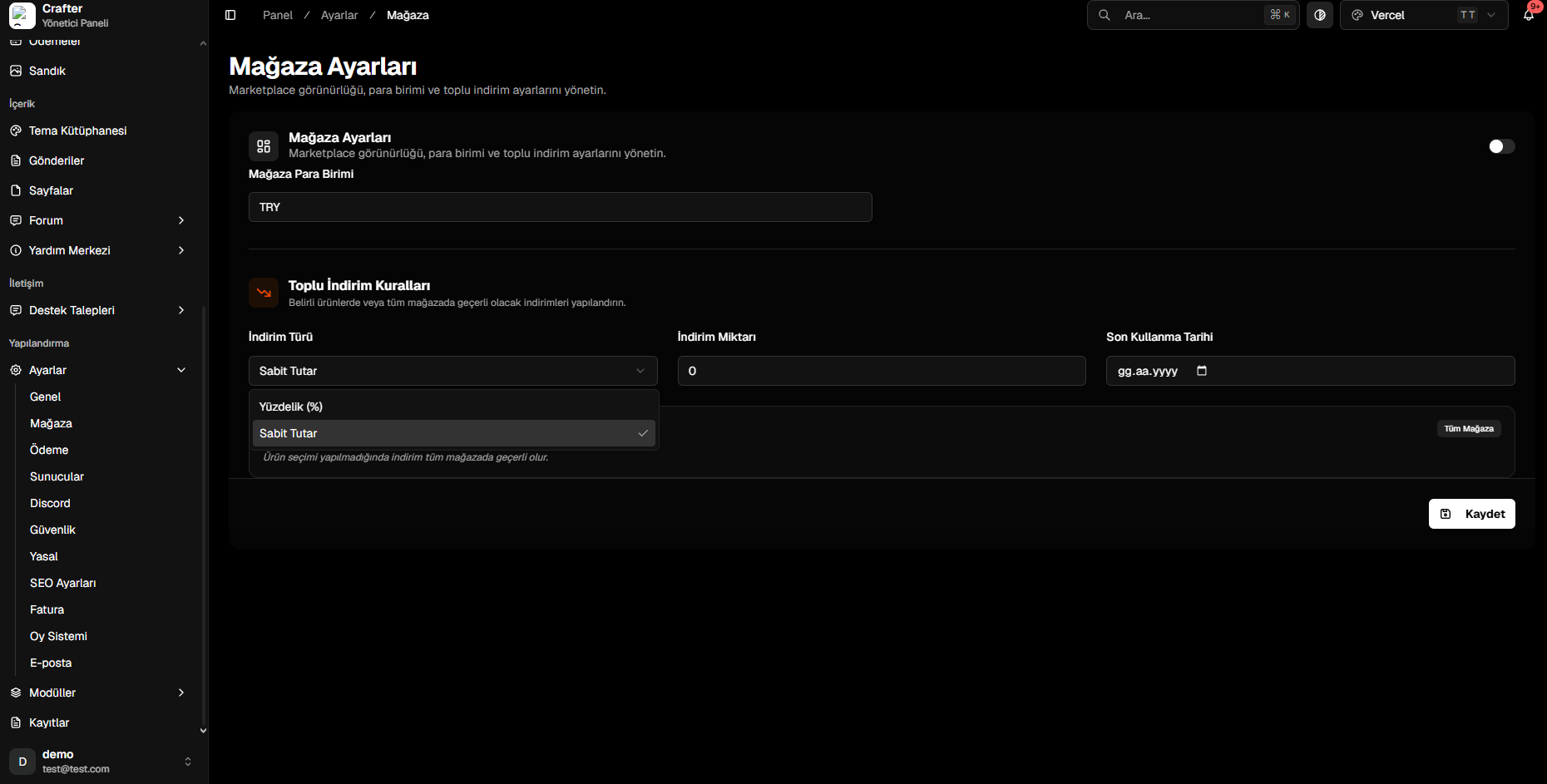
Store Settings & Bulk Discounts Panel
1. Store Visibility & Currency
- Store Status (Toggle): Enable or temporarily disable the public web store.
- Store Currency: Standard ISO 4217 currency code (e.g.,
USD,EUR,TRY,GBP).
2. Bulk Store Discounts (Sales)
Apply automatic price reductions across all products or select categories:1
Select Discount Model
- Percentage (%): Lowers item prices by a percentage (e.g.,
20%). - Fixed Amount: Subtracts a static value from each product price.
2
Enter Discount Value
Input the discount numeric amount (e.g.,
20 or 50).3
Set Expiration Date
Select an end date from the calendar when the promotion will automatically deactivate.
4
Save and Launch
Click Save to update all catalog pricing immediately.